
Easiest Way to Build Consistent Character - Step-by-Step Guide with OpenArt
AIPURE
Make a clip
CC BY 3.0 · AIPURE
Up to 60 seconds, at most the picture size of the copy it is cut from. The clip carries the title, the credit, the licence and a link back here. It is made in this browser, and nothing is sent to this site.
Or send the moment itself: https://invisiblenetwork.ai/watch/archive/commons/162989573?play=1&t=0
Parts
About
🔗 Links:
【OpenArt】▶https://s.aipure.ai/openart
Learn how to create consistent AI-generated characters using OpenArt's LoRA training! Whether you're crafting AI-driven stories or videos, this step-by-step tutorial will guide you through the entire process—from creating character reference sheets to training and generating stunning visuals. Perfect for beginners and experienced creators alike. Don’t miss out on this comprehensive guide!
●Example Prompts & More Details: [A full-body portrait of a beautiful cat, depicted from all angles (front, side, back, and 3/4 view) against a pure white background.This cat has distinct fur and is wearing a pink dress, which makes her look very cute. Each angle shows the cat's full body, and close-ups highlight the fur and texture.3D animation style]
📌 Chapters: 0:00 - Introduction 1:23 - What is OpenArt? 1:59 - Preparing Dataset Images 3:25 - Training a LoRA Model 4:29 - Generating Images with Trained Models 5:44 - Final
📢 Don't forget to like, subscribe, and share! Comment below with your favorite AI tools or questions.
🔥Subscribe to the AIPURE channel for more AI updates and AI Tools information in our videos!
AI-generated Its own record says a model made it. What this means.
More from Wikimedia Commons
 Short
Making a silver chain
 Short
Jennifer Doudna Nobel Prize medal presentation
 Short
¿Qué es Wikipedia?
 Short
Wie entstehen Fossilien (CC by 4.0)
 Short
Rudy Mancuso & Maia Mitchell - Magic (Official Music Video)
 Documentary
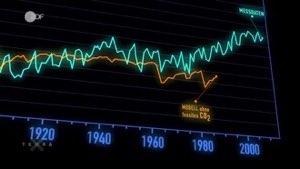
Die wichtigsten Klimafaktoren (ZDF, Terra X) 720p 50FPS
 Short
Curiosity's Seven Minutes of Terror
 Short
Wikilovesmonuments.org
 Short
Wikipedia - FactsMatter2016
 Short
President Obama on Death of Osama bin Laden no watermark
 Short
Cassini's Grand Finale
 Cartoon