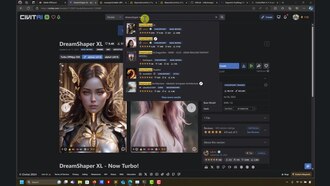
Playing around with inpainting in Automatic1111 - Part 2
Wolf Dynamics World - WDW
Make a clip
CC BY 3.0 · Wolf Dynamics World - WDW
Up to 60 seconds, at most the picture size of the copy it is cut from. The clip carries the title, the credit, the licence and a link back here. It is made in this browser, and nothing is sent to this site.
Or send the moment itself: https://invisiblenetwork.ai/watch/archive/commons/153909939?play=1&t=0
Parts
About
😎 Modifying the composition, in particular, changing the hair color of the characters.
🙂 Horsing around with inpainting in automatic1111. In this video, we use some images (non cherry-picked) to introduce inpainting concepts and best practices.
👍 Keep in mind that I don't use styles in the prompt. Adding styles might help improve the results.
To take the most out of this video tutorial, it is recommended to follow first the video Advanced Inpainting with Automatic1111
👉 Get the input images at this link, https://bit dot ly/3HgQxiK
Chapters 00:00 Introduction 00:28 Let's change the color of the hair 07:43 A final modification to the hair 09:17 You can use Lora models and controlnet 10:20 Some comments about the cat wizard image 11:17 A more complex image - LEt's change a few things in this image 12:31 The mask - Segmentation in action 12:55 Let's change the color of the butterfly 14:18 Let's remove the butterfly 16:18 Let's change the color of the hair 16:46 Saving the mask 19:54 Now with pink hair 20:15 Some comments on Lora models 20:59 Upscaling this image - Some results 22:50 A deer crossing a road (photo) 23:29 Always check the resolution of the images 27:25 Let's add Pikachu 28:43 Standard models or inpainting models? 34:44 More upscaling results 36:55 Final remarks
Inpainting - Model Cards: https://huggingface.co/stabilityai/stable-diffusion-2-inpainting https://huggingface.co/runwayml/stable-diffusion-inpainting https://huggingface.co/webui/stable-diffusion-inpainting/tree/main https://huggingface.co/diffusers/stable-diffusion-xl-1.0-inpainting-0.1 https://huggingface.co/Lykon
Other links: https://civitai.com/ https://civitai.com/models/132632?modelVersionId=201346 https://civitai.com/models/4384?modelVersionId=131004 https://github.com/Uminosachi/sd-webui-inpaint-anything https://github.com/light-and-ray/sd-webui-replacer https://github.com/geekyutao/Inpaint-Anything https://github.com/geekyutao/Inpaint-Anything/blob/main/segment_anything/README.md https://segment-anything.com/ https://github.com/VainF/Awesome-Anything
Deer photo credits: https://unsplash.com/photos/brown-deer-crossing-in-road-during-daytime-K9jZjxTaLEM https://www.caasco.com/CAA-Magazine/Auto-Advice/2020/what-to-do-when-you-encounter-wildlife-on-the-road
Wolʇ Dynamics, your reliable partner for CAE solutions, CAD and solid modeling → Meshing → Simulations → Automation and optimization → Post-processing → Data analytics and ML → Reporting
http://www.wolfdynamics.com/
Why Wolʇ Dynamics? Simply look at our banner - notice how the F appears backwards.
Human-made No record of this work says a model made it. What this means.
More from Wikimedia Commons
 Short
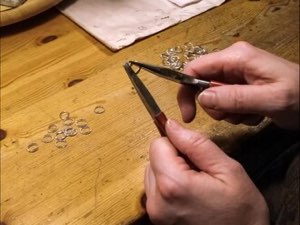
Making a silver chain
 Short
Jennifer Doudna Nobel Prize medal presentation
 Short
¿Qué es Wikipedia?
 Short
Wie entstehen Fossilien (CC by 4.0)
 Short
Rudy Mancuso & Maia Mitchell - Magic (Official Music Video)
 Documentary
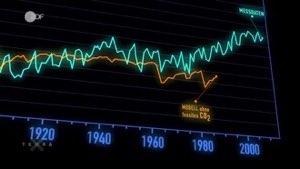
Die wichtigsten Klimafaktoren (ZDF, Terra X) 720p 50FPS
 Short
Curiosity's Seven Minutes of Terror
 Short
Wikilovesmonuments.org
 Short
Wikipedia - FactsMatter2016
 Short
President Obama on Death of Osama bin Laden no watermark
 Short
Cassini's Grand Finale
 Cartoon