
Audacity Tutorial- Einstieg, einfache Aufnahme und Nachbearbeitung
Andreas Kalt – Erklärvideos
Make a clip
CC BY 3.0 · Andreas Kalt – Erklärvideos
Up to 60 seconds, at most the picture size of the copy it is cut from. The clip carries the title, the credit, the licence and a link back here. It is made in this browser, and nothing is sent to this site.
Or send the moment itself: https://invisiblenetwork.ai/watch/archive/commons/153385295?play=1&t=0
Parts
About
Das Video erklärt, wie man mit dem kostenlosen Programm Audacity eine einfache Sprachaufnahme machen kann, um diese anschließend mit Hintergrundmusik und Sounds anzureichern.
Download Audacity: http://www.audacityteam.org
Anleitung zum Installieren des mp3-Encoders: http://ak-u.de/uy
Weitere Anleitungen zu Audacity
bei Ohrenspitzer.de: http://www.ohrenspitzer.de/index.php?id=200
auf dem Lehrerfortbildungsserver Baden-Württemberg: https://lehrerfortbildung-bw.de/st_digital/medienwerkstatt/multimedia/audio/audacity/
Liste freier Audio-Dateien:
https://lehrerfortbildung-bw.de/st_digital/medienwerkstatt/internet/freemedia/audios/
Weitere freie Sounds (in der Regel Creative-Commons-lizenziert): https://freesound.org
* * * * * * * * * * * * *
Dieses Video steht unter einer Creative Commons Lizenz
CC BY 4.0, Creative Commons Namensnennung 4.0 International Lizenz, href="https://creativecommons.org/licenses/by/4.0/
Human-made No record of this work says a model made it. What this means.
More from Wikimedia Commons
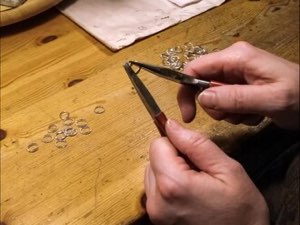 Short
Making a silver chain
 Short
Jennifer Doudna Nobel Prize medal presentation
 Short
¿Qué es Wikipedia?
 Short
Wie entstehen Fossilien (CC by 4.0)
 Short
Rudy Mancuso & Maia Mitchell - Magic (Official Music Video)
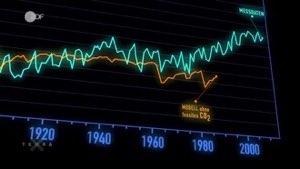 Documentary
Die wichtigsten Klimafaktoren (ZDF, Terra X) 720p 50FPS
 Short
Curiosity's Seven Minutes of Terror
 Short
Wikilovesmonuments.org
 Short
Wikipedia - FactsMatter2016
 Short
President Obama on Death of Osama bin Laden no watermark
 Short
Cassini's Grand Finale
 Cartoon