
SageMaker JumpStart- deploy Hugging Face models in minutes!
Julien Simon
Make a clip
CC BY 3.0 · Julien Simon
Up to 60 seconds, at most the picture size of the copy it is cut from. The clip carries the title, the credit, the licence and a link back here. It is made in this browser, and nothing is sent to this site.
Or send the moment itself: https://invisiblenetwork.ai/watch/archive/commons/152511551?play=1&t=0
Parts
About
Experimenting with the latest and greatest models doesn't have to be difficult. With SageMaker JumpStart, you can easily access and experiment with cutting-edge large language models without the hassle of setting up complex infrastructure or writing deployment code. All it takes is a single click. In this particular video, I walk you through the process of deploying and testing the Mistral AI 7B model as an example.
⭐️⭐️⭐️ Don't forget to subscribe to be notified of future videos ⭐️⭐️⭐️
To get started, you simply need to navigate to the SageMaker JumpStart website and locate the Mistral AI 7B model. Once you find it, you can click on the model to select it. This will initiate the setup process, which takes care of all the required infrastructure for you. Once the setup is complete, SageMaker JumpStart provides a sample notebook and you can start testing the model immediately!
If you want to experiment with the latest state-of-the-art models like the Mistral AI 7B model, SageMaker JumpStart provides a hassle-free way to do so. Try it out and explore the possibilities of cutting-edge AI models with just one click!
Amazon SageMaker JumpStart: https://aws.amazon.com/sagemaker/jumpstart/
Follow me on Medium at https://julsimon.medium.com or Substack at https://julsimon.substack.com.
Human-made No record of this work says a model made it. What this means.
More from Wikimedia Commons
 Short
Making a silver chain
 Short
Jennifer Doudna Nobel Prize medal presentation
 Short
¿Qué es Wikipedia?
 Short
Wie entstehen Fossilien (CC by 4.0)
 Short
Rudy Mancuso & Maia Mitchell - Magic (Official Music Video)
 Documentary
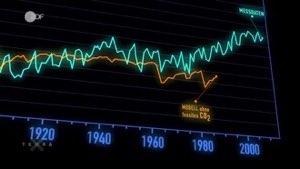
Die wichtigsten Klimafaktoren (ZDF, Terra X) 720p 50FPS
 Short
Curiosity's Seven Minutes of Terror
 Short
Wikilovesmonuments.org
 Short
Wikipedia - FactsMatter2016
 Short
President Obama on Death of Osama bin Laden no watermark
 Short
Cassini's Grand Finale
 Cartoon