
Beginner's Guide To open source Kdenlive Video Editing on Linux
DistroTube
Make a clip
CC BY 3.0 · DistroTube
Up to 60 seconds, at most the picture size of the copy it is cut from. The clip carries the title, the credit, the licence and a link back here. It is made in this browser, and nothing is sent to this site.
Or send the moment itself: https://invisiblenetwork.ai/watch/archive/commons/152447154?play=1&t=0
Parts
About
The software is opened at 2:55
Kdenlive is the premiere open source video editor. It is the video editor of choice, not just for me, but for many video content creators on platforms like YouTube and LBRY. It is free as in freedom and free as in cost. Kdenlive is jam-packed with features, which makes it a bit challenging to learn.
REFERENCED: ► https://kdenlive.org/en/ - Kdenlive ► https://kde.org/donations - Donate to the KDE team
SOCIAL PLATFORMS: 🗨️ Mastodon: https://mastodon.technology/@distrotube 💬 IRC: irc://freenode #distrotube 👫 Reddit: https://www.reddit.com/r/DistroTube/ 📽️ LBRY: https://lbry.tv/$/invite/@DistroTube:2
DT ON THE WEB: 🕸️ Website: http://distrotube.com/ 🐿️ Gopherhole: gopher://distro.tube 📁 GitLab: https://gitlab.com/dwt1
FREE AND OPEN SOURCE SOFTWARE THAT I USE: 🌐 Brave Browser - https://brave.com/dis872 📽️ Open Broadcaster Software: https://obsproject.com/ 🎬 Kdenlive: https://kdenlive.org 🎨 GIMP: https://www.gimp.org/ 🔊 Audacity: https://www.audacityteam.org/ 💻 VirtualBox: https://www.virtualbox.org/
Your support is very much appreciated. Thanks, guys!
Human-made No record of this work says a model made it. What this means.
More from Wikimedia Commons
 Short
Making a silver chain
 Short
Jennifer Doudna Nobel Prize medal presentation
 Short
¿Qué es Wikipedia?
 Short
Wie entstehen Fossilien (CC by 4.0)
 Short
Rudy Mancuso & Maia Mitchell - Magic (Official Music Video)
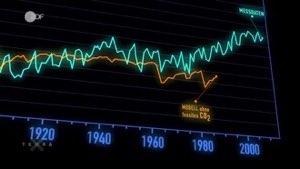 Documentary
Die wichtigsten Klimafaktoren (ZDF, Terra X) 720p 50FPS
 Short
Curiosity's Seven Minutes of Terror
 Short
Wikilovesmonuments.org
 Short
Wikipedia - FactsMatter2016
 Short
President Obama on Death of Osama bin Laden no watermark
 Short
Cassini's Grand Finale
 Cartoon