Opening the book…
In this exercise, the two new circles create a balanced, symmetric composition. The visual weight is the same in the four quadrants created by the intersection of the x and y axes; and the circles are reflective over a diagonal line. However, notice the tension between the two circles at the middle of the page. This tension is created when the two active forms are so near to each other that the eye cannot help but notice the negative space between them. The negative space fights for the viewer’s attention. Therefore, the negative space is slightly less active than it was in the first exercise.
- Copy the black circle and move it into the second square by using the Select Tool to click and drag on the original circle while holding OPT. Drag the new copy into place and release the mouse before releasing the key. Watch Out For This: If you are new to using the mouse and the keyboard together, practice using your non-mouse hand to activate hot-keys while keeping your mouse-hand on the mouse. It is ineffective to lift up the mouse hand!
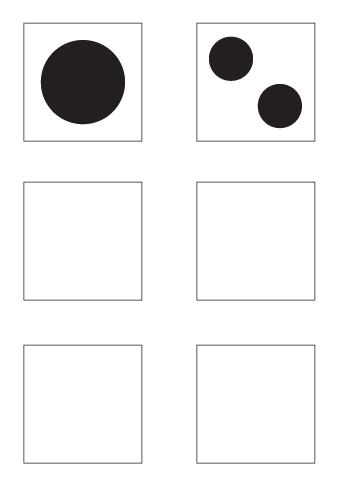
3. Hold down OPT and SHFT and click on the circle with the selection tool, then drag to the bottom right corner of the square. This will duplicate the circle and move the new square at an exact 45 degree angle.
3.03: Exercise 3: Symmetry with less passive negative space is shared under a CC BY-NC-SA 4.0 license and was authored, remixed, and/or curated by LibreTexts.
The book could not be loaded just now.