Opening the book…
View Instructor Comments
Your instructors may be leaving comments on your assignment submissions either as overall comments or annotations. To access these in Canvas, follow the instructions below.
- Go to the desired course.
- Click on Grades.

- Find the assignment in the list. To view overall comments, click on the comment icon [1]. This will show you the overall comments underneath the assignment title [2]. You can also view these comments by clicking on the Assignment Title.

- To view annotations, click on the Assignment Title.

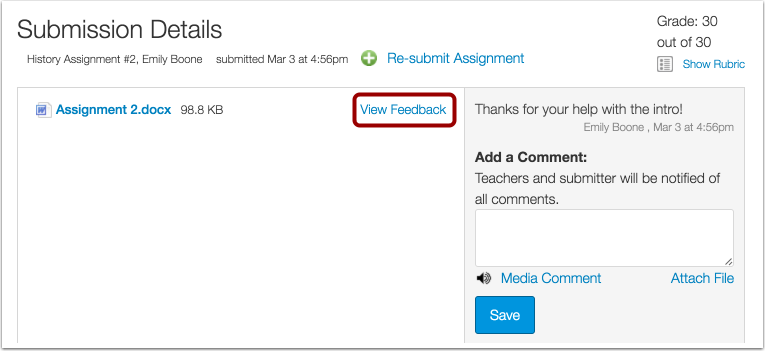
- Click on View Feedback.
- View the annotated comments from your instructor [1]. To reply to a comment, hover over the comment and click the Reply button [2].

- To download the annotated comments, click on the Download icon [1]. Then choose to download the original file [2], which is the original submission without your comments, or the annotated PDF file [3], which will show all your comments and/or annotations.

- To view the comments on the annotated pdf, you must open it using Adobe Reader. If you just click on the downloaded document in your browser, the comments will not show.
Open Adobe Reader on your computer first, then select the File > Open button and find the annotated pdf you just downloaded.
Additional Instructions
How do I view assignment comments from my instructor?
How do I view assignment feedback/annotations that my instructor made on my paper?
Works Cited:
'View Instructor Comments." Canvas Student Orientation Course, ursinus.instructure.com/courses/2839/pages/view-instructor-comments?module_item_id=87880. Accessed 23 July 2024.
This page titled 0.5.1: Viewing Instructor Feedback was last modified on Thu, 03 Apr 2025 15:43:42 GMT and is shared under a CC BY-SA 4.0 license and was authored, remixed, and/or curated by Amanda Hadley and Kelsey Harper.
The book could not be loaded just now.