Opening the book…
In the Page Settings of each LibreTexts page is a summary block that will accept approximately three lines of text (Figure \(\PageIndex{1}\)). Think of the summary as a tweet (like on Twitter) on the subject of the page. It is almost the same length as a tweet and has a similar impact.
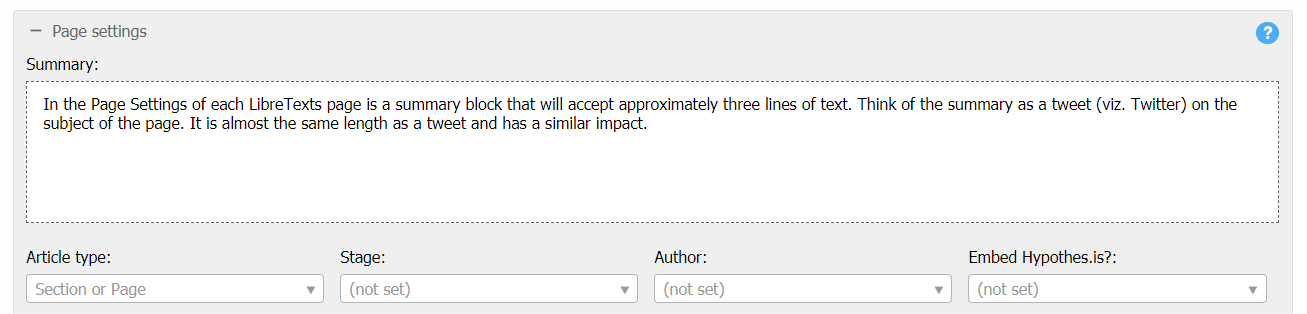
Adding a Summary to a page is not necessary; you and your text can live without them if you like. However, they are beneficial in several ways:
- If you do a search on our platform, the summary will show up next to the page to help searchers identify the page(s) that best addresses their search
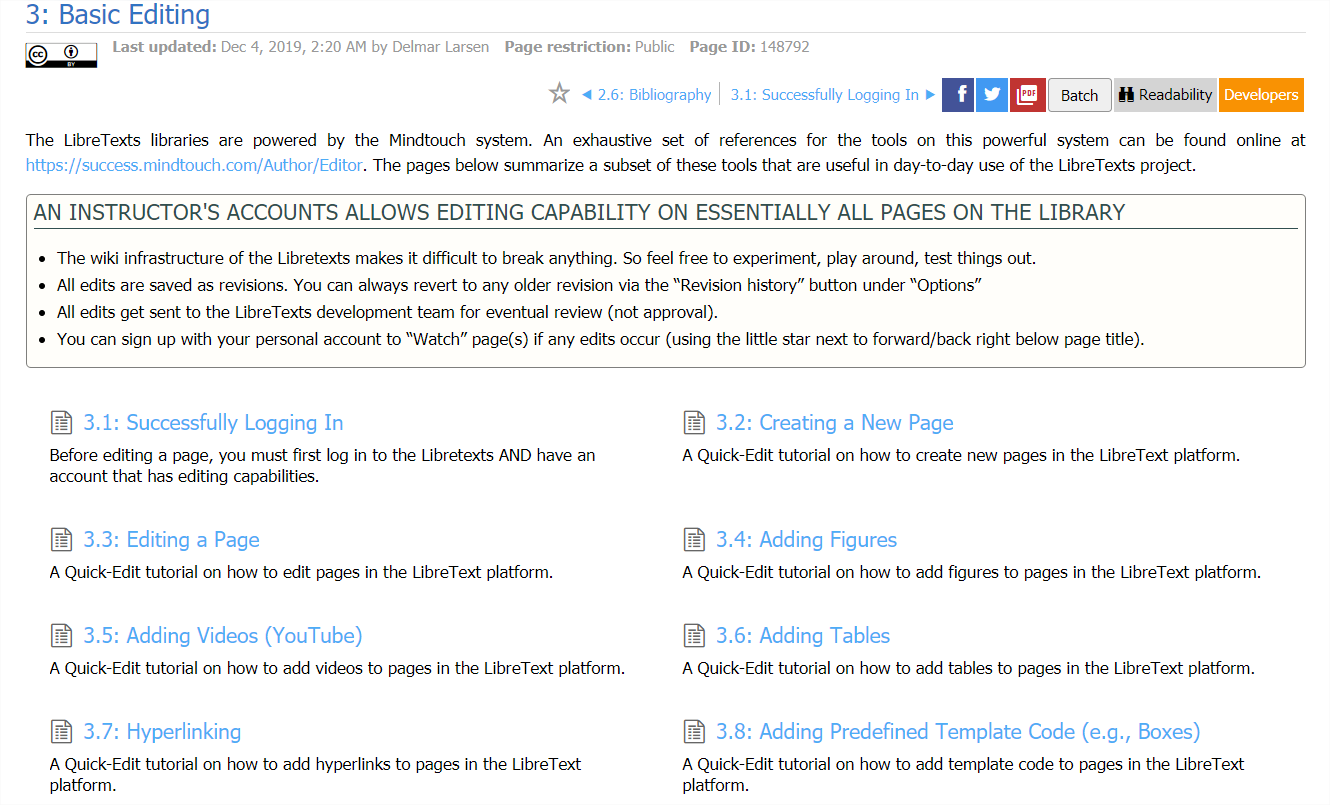
- The summaries of Sections (on pages of content of a text) will show up on the Table of Contents (in Chapter Overview) in PDFs and on chapter pages when viewed online (Figure \(\PageIndex{2}\)).
- The summaries of Chapters will show up in the Table of Contents in PDFs and if you hover your mouse over the chapter thumbnails of a textbook.
- The summaries are also used by Google to aid in search results to guide traffic to your texts (i.e., Search Engine Optimization).
This page titled 10.3: Adding Summary was last modified on Tue, 23 Jul 2024 01:45:23 GMT and is shared under a CC BY-SA 4.0 license and was authored, remixed, and/or curated by LibreTexts.
The book could not be loaded just now.