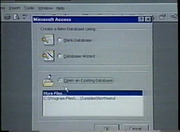
Microsoft Office 97 Training (1997-98) (6-Tape Set)
ViaGrafix
Clips are not offered for this film: no licence or public-domain mark is recorded for it.
Parts
About
A package of six tapes for learning both Windows and Office.
"Teach Yourself" Windows 95/98 (1998)
Topic / Minutes Introduction / 00:36 Chapter 1 / 01:27 Discussing the Windows 98 Desktop / 02:20 Using the mouse / 06:10 Explaining the features of a window / 09:34 Chapter 2 / 16:04 Using menus / 16:34 Working with shortcut menus / 18:55 Viewing folders and files / 20:48 Using a scroll bar and changing views / 21:47 Chapter 3 / 27:16 Multi-tasking / 27:58 Creating a file / 32:17 Saving a file / 33:44 Renaming files / 34:13 Chapter 4 / 37:02 Using the Window's Explorer / 37:29 Creating a new folder / 49:02 Placing programs in the StartUp menu / 51:56
"Teach Yourself" Excel 97 (1997)
Topic / Minutes Introduction / 00:23 Installing the Learning Disk / 01:07 Chapter 1 / 01:48 Viewing the Excel window / 02:15 Discussing workbooks/worksheets 04:34 Selecting cells / 05:59 Chapter 2 / 08:54 Entering data / 09:37 Formatting cells / 10:15 Changing column/row areas / 13:27 Aligning data in a cell / 16:24 Clearing/deleting cell contents / 20:05 Chapter 3 / 22:54 Creating a workbook / 23:35 Entering data in a selected range / 24:19 Saving a workbook / 26:11 Chapter 4 / 27:53 Using templates / 28:18 Creating a spreadsheet / 29:39 Inserting worksheets / 33:47 Chapter 5 / 36:54 Entering text / 37:14 Using AutoFill / 38:04 Creating a formula / 40:11 Copying & moving data / 43:39 Chapter 6 / 45:42 Changing text attributes / 46:35 Copying formats / 48:07 Using Print Preview / 50:17 Discussing Page Setup / 51:23 Deleting the Learning files / 54:41
"Teach Yourself" Word 97 (1997)
Topic / Minutes Introduction / 00:22 Copying the Learning Files / 02:38 Chapter 1 / 03:27 Explaining the Word 97 window / 04:08 Using shortcut keystrokes / 05:03 Working with scroll bars / 07:24 Discussing the Office Assistant / 08:31 Chapter 2 / 09:48 Entering & deleting text / 10:48 Inserting text / 11:43 Using the Over-type mode / 12:16 Selecting text / 13:14 Using Undo & Redo commands / 14:28 Cutting, copying & moving text / 15:17 Chapter 3 / 17:54 Applying font styles / 18:46 Using text color / 20:58 Aligning text / 21:58 Animating text / 23:41 Chapter 4 / 25:09 Setting margins / 25:41 Inserting a page break / 26:54 Setting line spacing / 29:26 Inserting the date in a document / 30:34 Chapter 5 / 31:52 Finding & replacing text / 32:27 Checking a document's spelling / 34:16 Looking for grammatical errors / 35:24 Using the Thesaurus / 36:18 Demonstrating Word Count / 37:28 Chapter 6 / 38:27 Saving a document options / 38:55 Using Print preview / 40:58 Printing a document / 41:46 Deleting the Learning Files / 43:28
"Teach Yourself" PowerPoint 97 (1997)
Topic / Minutes Introduction / 00:21 Installing the Learning Disk / 01:14 Opening a presentation / 03:07 Chapter 1 / 04:16 Discussing the PowerPoint window / 04:28 Demonstrating toolbars / 04:40 Changing views / 05:24 Using the AutoContent wizard / 08:05 Entering data in a presentation / 13:23 Using the Outline view / 17:52 Moving between slides / 18:36 Adjusting text / 18:58 Using the Slide Master / 20:41 Chapter 2 / 23:17 Adding Clip Art to a slide / 24:00 Creating/editing a chart / 26:33 Changing chart types / 30:34 Modifying a chart / 32:57 Saving a presentation / 36:25 Chapter 3 / 37:50 Creating speaker notes / 38:15 Making handouts / 42:04 Chapter 4 / 44:19 Adding transition effects / 44:48 Discussing advancement options / 49:28 Using the Pen option / 53:19 Printing a presentation / 54:35 Deleting the Learning files / 57:32
"Teach Yourself" Outlook 97 (1997)
Topic / Minutes Introduction / 00:23 Installing the Learning Disk / 02:52 Chapter 1 / 03:41 Discussing the Outlook Bar / 05:22 Examining the Outlook window / 06:50 Chapter 2 / 08:57 Using the Date Navigator / 09:40 Examining the Current View list / 10:51 Scheduling a new appointment / 14:01 Setting reminders / 15:33 Designating recurring appointments / 17:44 Chapter 3 / 21:49 Inserting a task into the TaskPad list / 23:27 Making tasks complete / 26:03 Inserting a recurring task / 26:42 Copying a task / 28:07 Using filters / 29:11 Working with groups / 31:25 Sorting the TaskPad list / 33:59 Chapter 4 / 35:15 Inserting a new and an annual event / 35:45 Adding a contact / 39:02 Grouping & sorting the Contact list / 42:03 Chapter 5 / 43:02 Working with the Meeting Planner / 43:27 Scheduling a meeting / 45:18 Sending meeting requests / 45:30 Chapter 6 / 47:34 Printing an Outlook file / 48:00 Changing default settings / 49:35 Deleting the Learning Disk / 52:28
"Teach Yourself" Access 97 (1997)
Human-made No record of this work says a model made it. What this means.
- Archive
- Internet Archive, in The VHS Vault
- Licence or status
- The Internet Archive states none for this item.
- Credit
- ViaGrafix
- Language
- English
- Who can watch
- The archive gives no rating. Invisible Network shows it to Teens profiles and older, judged from its collection and subjects. How films are placed
More from The VHS Vault
 Feature
SHIN GODZILLA (2016) English-Language Version
 Film
Pink Flamingos (1972)
 Documentary
Connections by James Burke (Seasons 1-3)
 Cartoon
VHS Recording - Cartoon Network's Cartoon Cartoon Fridays 2000 Full Broadcast
 Film
1988 VHS • Warm Up with Traci Lords VHS 60 FPS
 Film
Blue's Clues: Magenta Comes Over (2000 VHS)
 Film
Full VHS Tape: Blue's Clues: Story Time [1998]
 Film
Song Of The South (4K Restoration)
 Film
Dune ( 1984) Alternative Edition Redux [fanedit][ MKV FLAC SUBS]
 Film
Super Mario Bros: The Morton Jankel Cut (VHS Extended Rough Cut 1.0) Movie 1993
 Film
Supaidāman
 Film