Opening the book…
For this example we want to build a template for a “chimney” or sleeve that will rest on a sloped roof surface. The roof surface will have a slope of 30° and the sleeve will have the dimensions of the drawing below.
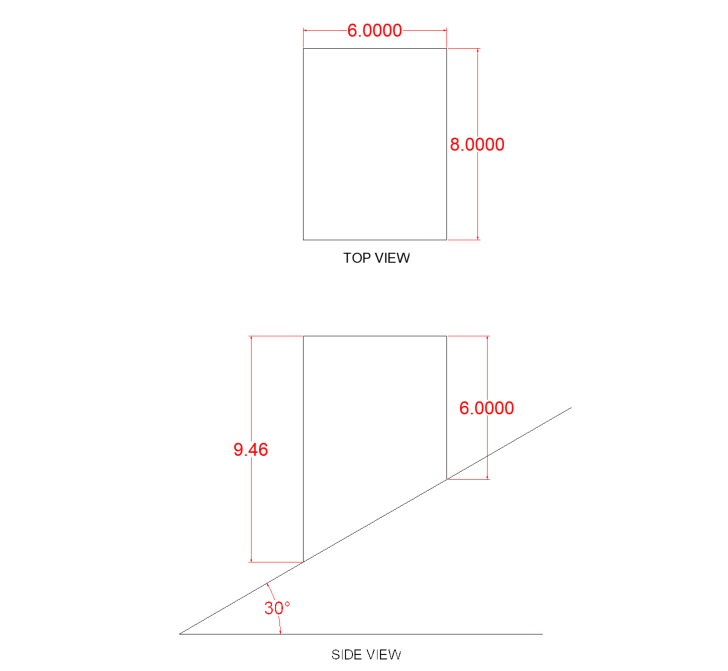
Now that we have needed measurements we can begin to draw the stretch-out.
To help keep everything in order it helps to number points on stretch-out so they match up to each corner. Since this part will have a seam, we can use “0” to indicate the seam. Looking at the side & top view we can see that the points 1&4 have the same height as well as points 2&3 since they are in the same plane. The blue lines are there to show how the lines to extend to help develop the stretch-out.
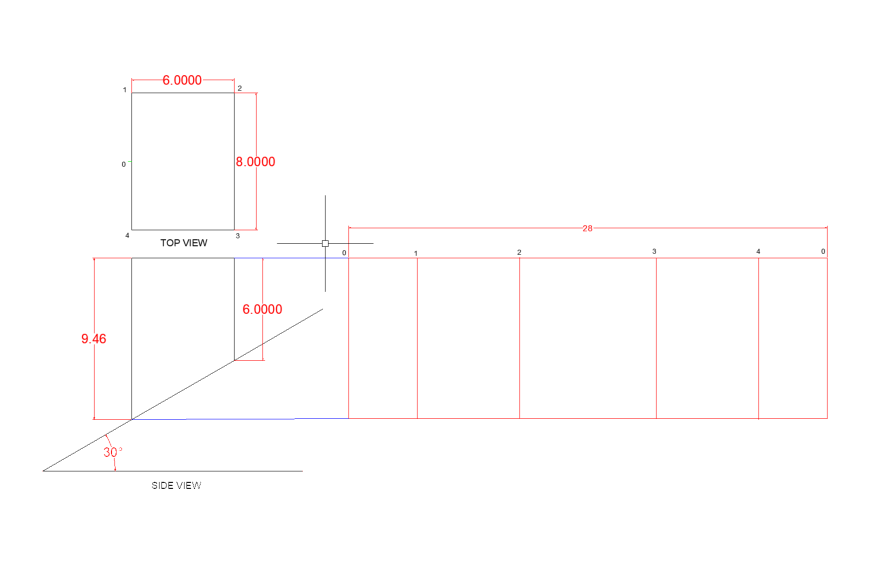
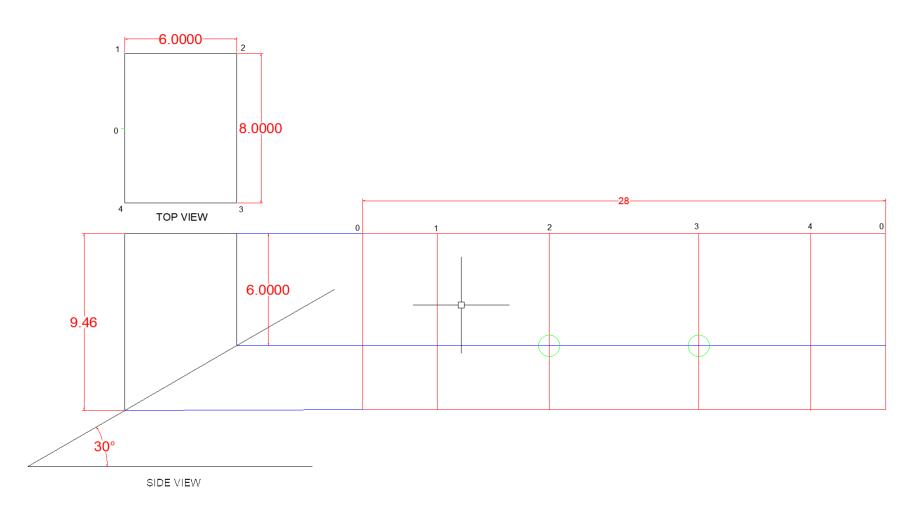
Next we will transfer the measurements from the side view to the stretch-out to determine the shape of the template.
We know at points 0, 1 & 4, the height is the overall height measure at 9.46”, since all those point are in the same plane in the side view. For points 2 & 3 we can see that the overall height there is 6”. We need to transfer this to the stretch-out. There are a few ways to this function. You can simply measure 6” down from each point on stretch-out at points 2 & 3 and mark it with a tic mark, you can also transfer the line 90° to the right and where the horizontal line intersects points 2 & 3 place a tic mark.
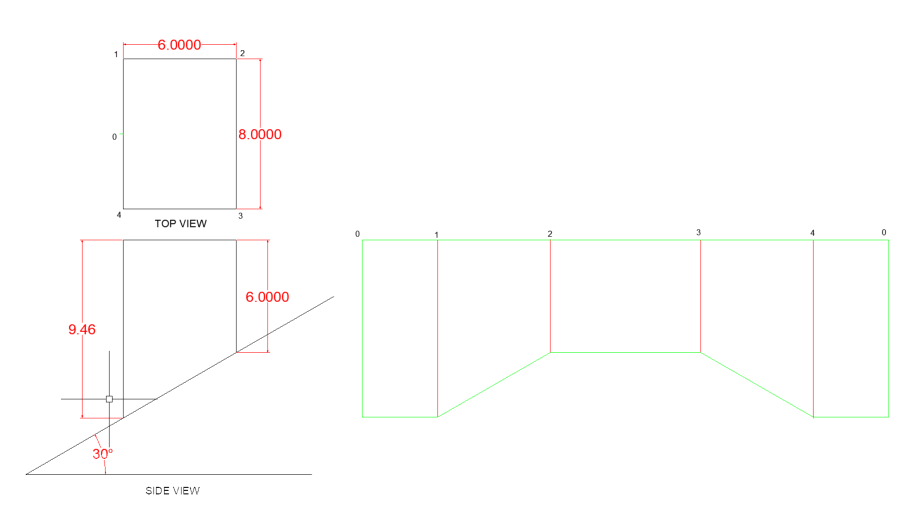
Now we can add a couple lines connecting the base of the stretch-out to vertical line 2 & 3 to show what the final shape of stretch-out will be. We can also remove any lines we used to transfer features from side view to stretch-out. The green line indicate the sheet size and shape the red lines indicate where the sheet will be formed.
This page titled 2: Rectangular Sleeve was last modified on Sun, 25 Oct 2026 18:31:13 GMT and is shared under a CC BY 4.0 license and was authored, remixed, and/or curated by Marc Rose via source content that was edited to the style and standards of the LibreTexts platform.
The book could not be loaded just now.