Opening the book…
Concentric 90° branch
This fitting is Concentric, meaning the branch and header are on the center line.
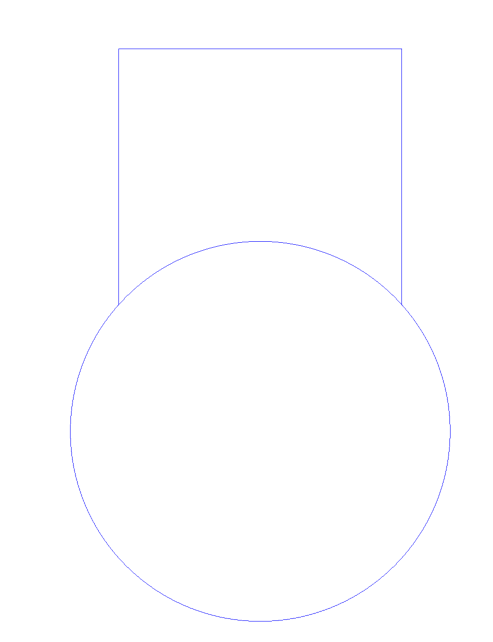
We will begin by drawing the header pipe from an end view and the branch connection on same center line directly above. Remember, all pipe regardless of wall thickness has the same O.D. so we will only worry about drawing the O.D. lines and not worry about the I.D.
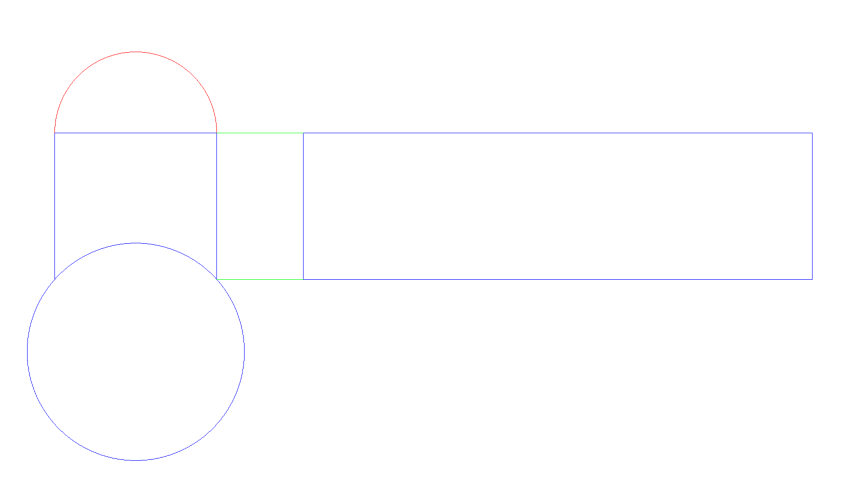
Now we will draw the half circle on end of branch and extend out the height of branch and draw the stretch-out. You will have to verify size of pipe or refer to chart to find total circumference.
Greens lines are to show the extension of branch to develop the stretch-out.
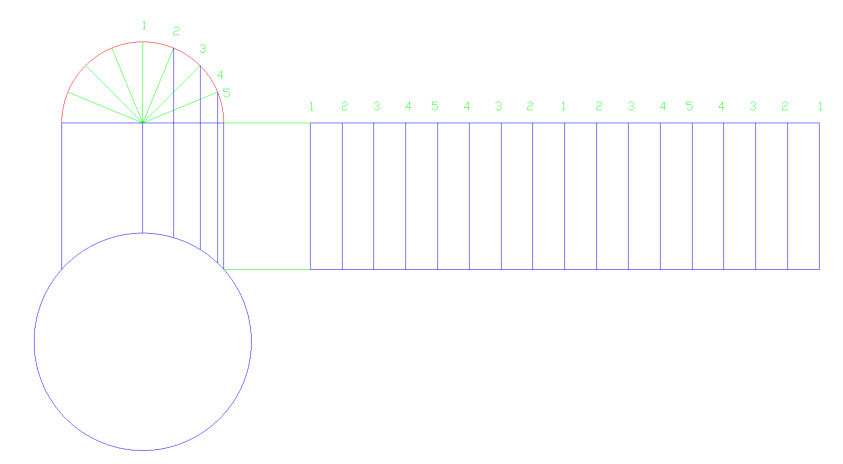
Now we can divide up the stretch-out into 16 equal spaces and divide the half circle up as well. Note: Since this is a concentric branch and everything is off of center, we can get away with only dividing half the half circle, it is a mirror of the other side.
Remember to number each line…
Now we can transfer lines from end view to the stretch-out and number match them and place out tick marks.
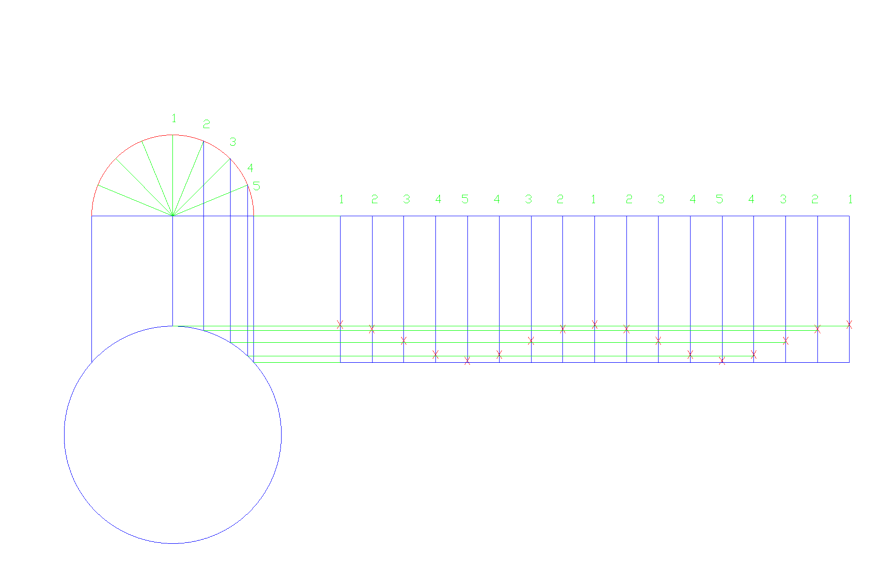
Now we can draw our curved line between tick marks and remove transfer line.
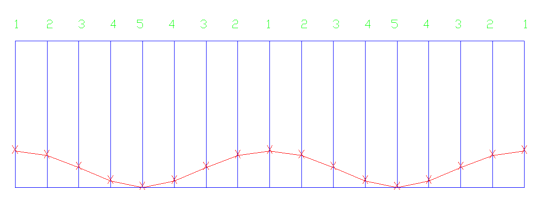
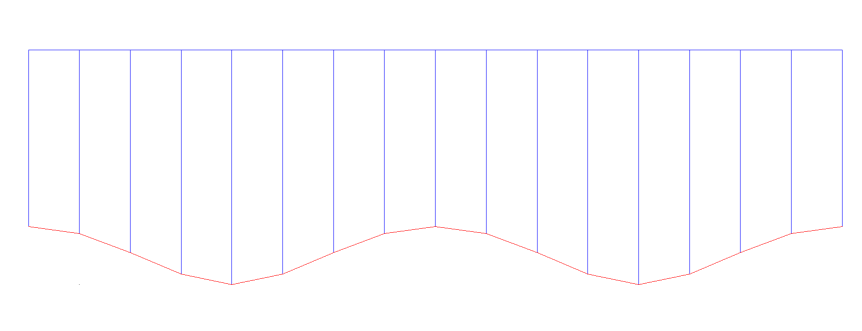
Remove the non-essential lines and the template is ready to use.
This page titled 7: Concentric 90° Branch on Header was last modified on Sun, 25 Oct 2026 18:31:14 GMT and is shared under a CC BY 4.0 license and was authored, remixed, and/or curated by Marc Rose via source content that was edited to the style and standards of the LibreTexts platform.
The book could not be loaded just now.