Opening the book…
In this unit we will look more closely at assistive technology testing, and particularly testing with a screen reader, and in the next unit we will look at strategies for including people with disabilities as part of a web accessibility audit. Specifically, we will examine:
- Screen readers as an accessibility testing tool
- ChromeVox screen reader and learning to use it
- Screening user testers
- Developing user testing protocols
 Many of Lulu’s potential clients might use assistive technology to access her site, so to help ensure the success of Lulu’s “barrier-breaking” efforts, it is important to assess how the site and these devices interact.
There is a wide range of assistive technologies (AT) that people use to access the Web, from browser-based tools for magnifying text, to screen readers that read back text content, to various types of hardware such as braille displays, or switches and scanners that can be used by those with limited physical mobility to control keyboard and mouse actions.
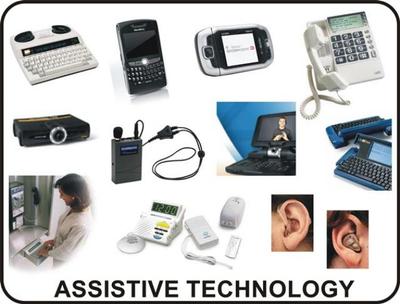
Figure: Examples of assistive technology
Source: Intro2AT
Why Learn About Assistive Technologies?
While web accessibility guidelines are written to be technology neutral, and intended to remove the need for testing with specific AT, there are times when manual testing with AT may be necessary. Screen readers are most commonly used for manual AT testing. You were introduced to the ChromeVox screen reader in the section ChromeVox Screen Reader. We will introduce you to some other common screen readers and discuss their strengths and limitations. We will also examine their compatibility across web browsers, operating systems, devices, and with various web accessibility technologies.
This page titled 6.1: Assistive Technology Testing was last modified on Sat, 01 May 2021 18:31:23 GMT and is shared under a CC BY-SA license and was authored, remixed, and/or curated by Digital Education Strategies, The Chang School.
The book could not be loaded just now.