Opening the book…
Testing the normality assumption is relatively straightforward. We covered most of what you need to know in Section 13.9. The only thing we really need to know how to do is pull out the residuals (i.e., the ϵik values) so that we can draw our QQ plot and run our Shapiro-Wilk test. First, let’s extract the residuals. R provides a function called residuals() that will do this for us. If we pass our my.anova to this function, it will return the residuals. So let’s do that:
my.anova.residuals <- residuals( object = my.anova ) # extract the residualsWe can print them out too, though it’s not exactly an edifying experience. In fact, given that I’m on the verge of putting myself to sleep just typing this, it might be a good idea to skip that step. Instead, let’s draw some pictures and run ourselves a hypothesis test:
hist( x = my.anova.residuals ) # plot a histogram (similar to Figure @ref{fig:normalityanova}a)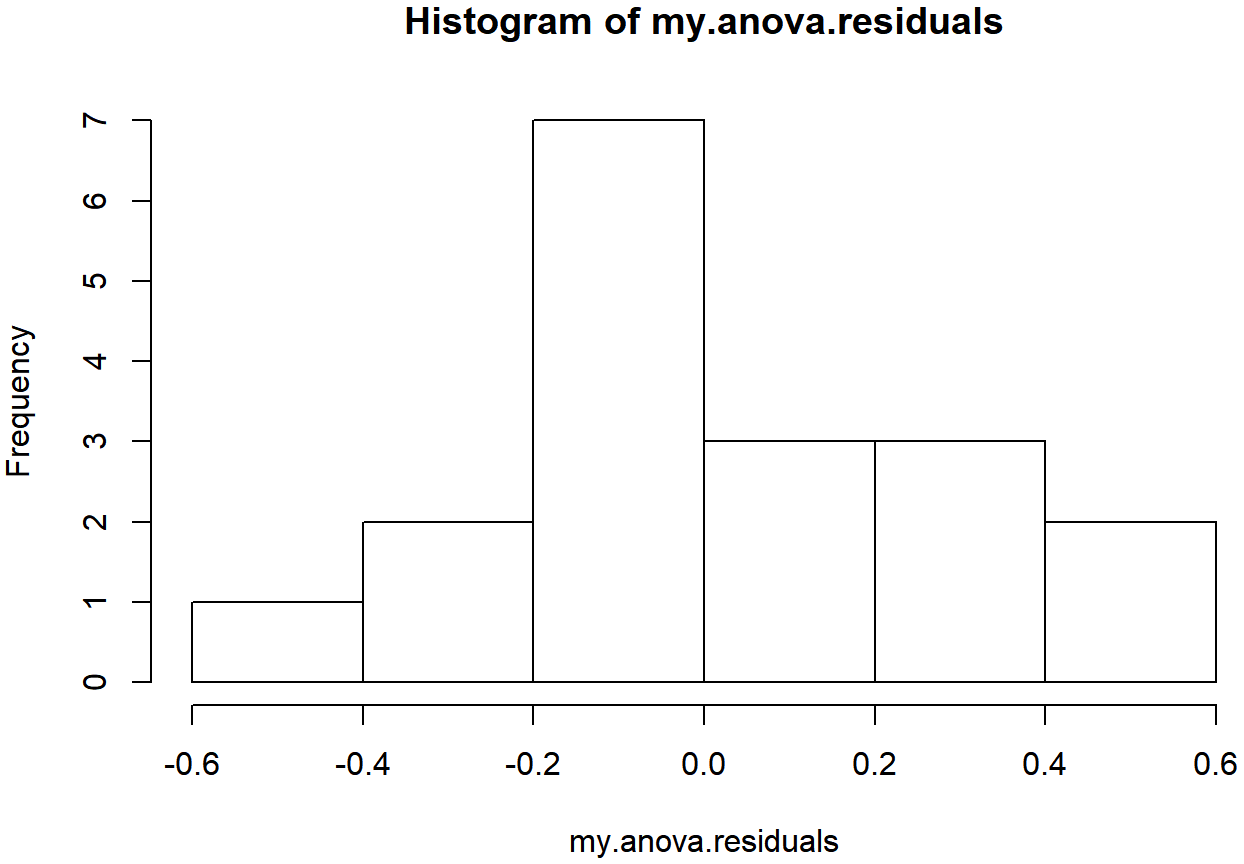
qqnorm( y = my.anova.residuals ) # draw a QQ plot (similar to Figure @ref{fig:normalityanova}b)
shapiro.test( x = my.anova.residuals ) # run Shapiro-Wilk test##
## Shapiro-Wilk normality test
##
## data: my.anova.residuals
## W = 0.96019, p-value = 0.6053The histogram and QQ plot are both look pretty normal to me.212 This is supported by the results of our Shapiro-Wilk test (W=.96, p=.61) which finds no indication that normality is violated.
This page titled 14.10: Checking the Normality Assumption was last modified on Mon, 08 Jan 2024 09:03:13 GMT and is shared under a CC BY-SA 4.0 license and was authored, remixed, and/or curated by Danielle Navarro via source content that was edited to the style and standards of the LibreTexts platform.
The book could not be loaded just now.