Opening the book…
Hooking Up Mics
To use microphones, you have to be able to hook up the correct wires and connectors. We will go over some of the most common connectors for audio in video here.
XLR
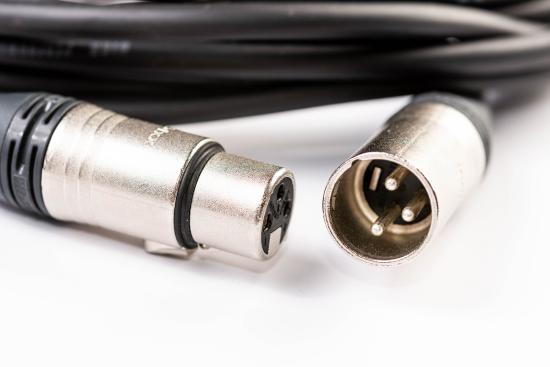
(CC BY 2.0; wuestenigel via flickr)
An XLR is a circular connector with three metal prongs inside (See Figure \(\PageIndex{1}\)). These are the most common connectors for microphones. Many professional cameras will have XLR hookups into the camera. If your camera does not come with any XLR hookups like for many DSLR and Mirrorless cameras, you can record sound on an audio recorder that does have XLR hookups or use an XLR to mini adapter (See Figure \(\PageIndex{2}\)).
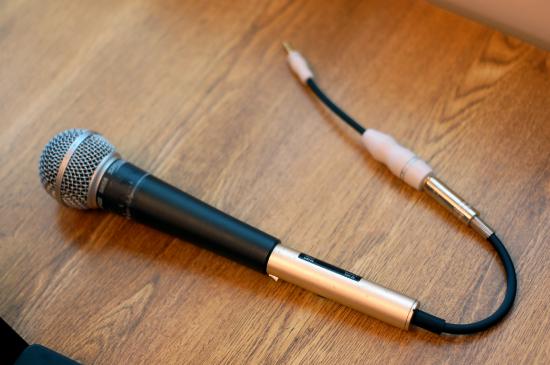
(CC BY-NC 2.0; Derek K. Miller via flickr)
Phone Plug/Quarter Inch Plug
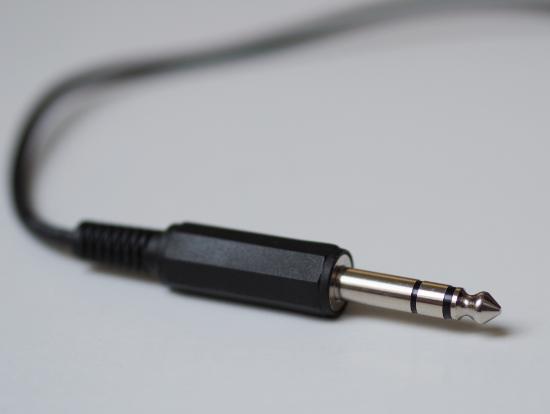
A quarter-inch or phone plug is the common connector for high-end headphones (See Figure \(\PageIndex{3}\)). They can also be used when plugging instruments or microphones into amplifiers.
Mini Plug/Eighth-inch/3.5mm
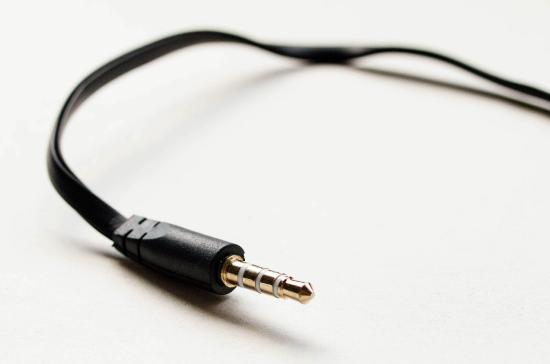
(CC BY 2.0; wuestenigel via flickr)
The eighth-inch (or mini plug or 3.5mm) plug is the most common connector for consumer-grade headphones (See Figure \(\PageIndex{4}\)). Many video cameras will allow you to connect headphones using a mini plug to monitor the sound being recorded.
HDMI
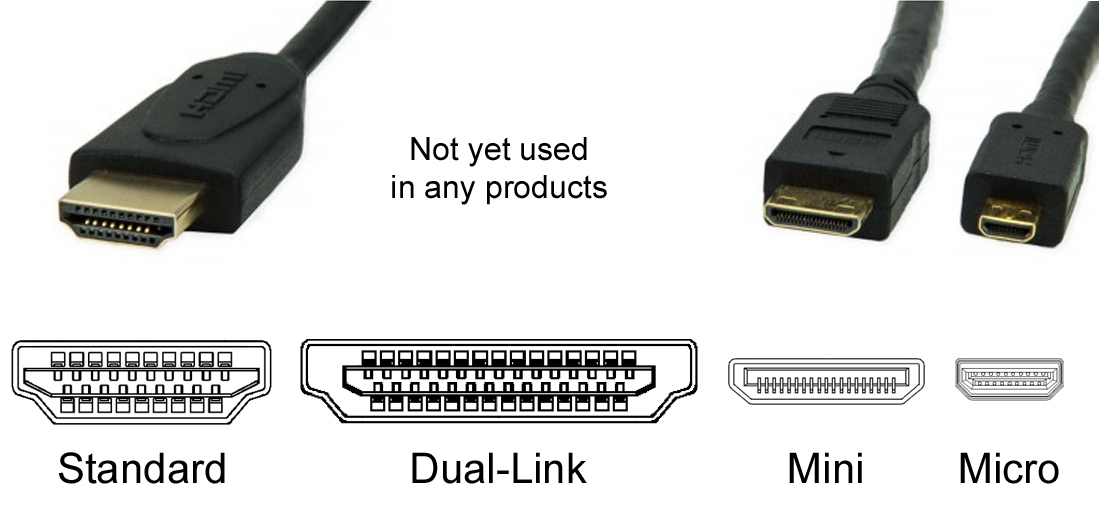
HDMI (High-Definition Multimedia Interface) connectors look like upside-down isosceles trapezoids and come in standard, mini, and micro sizes (See Figure \(\PageIndex{5}\)). HDMI connectors are used to carry signals to displays. You can use an HDMI on many cameras to view the recordings on a television or monitor. It is one cable that carries both the audio and video signal from the camera or computer to a display.
RCA
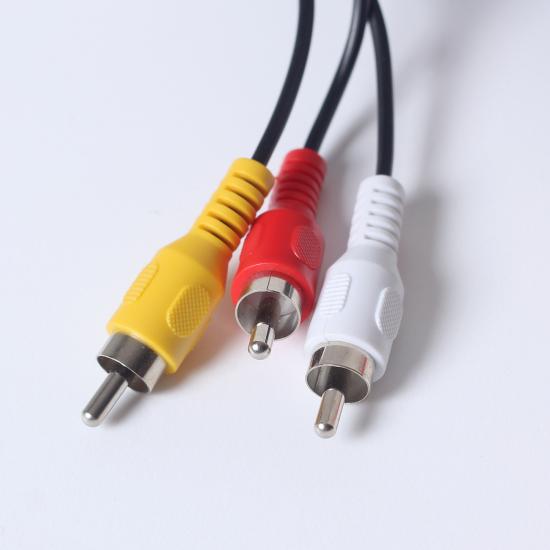

Although these connectors are less prevalent with the wide use of HDMI, you still may run into them with older technology. They have one single prong with a metal casing around it. They usually come paired with one yellow plug for video and two red and white plugs for left and right audio (See Figure \(\PageIndex{6}\)).
This page titled 10.3: Audio Connectors was last modified on Tue, 16 Aug 2022 21:24:41 GMT and is shared under a CC BY-NC 4.0 license and was authored, remixed, and/or curated by Christopher Clemens (ASCCC Open Educational Resources Initiative (OERI)) .
The book could not be loaded just now.