Opening the book…

3.2.1. Computer System Components
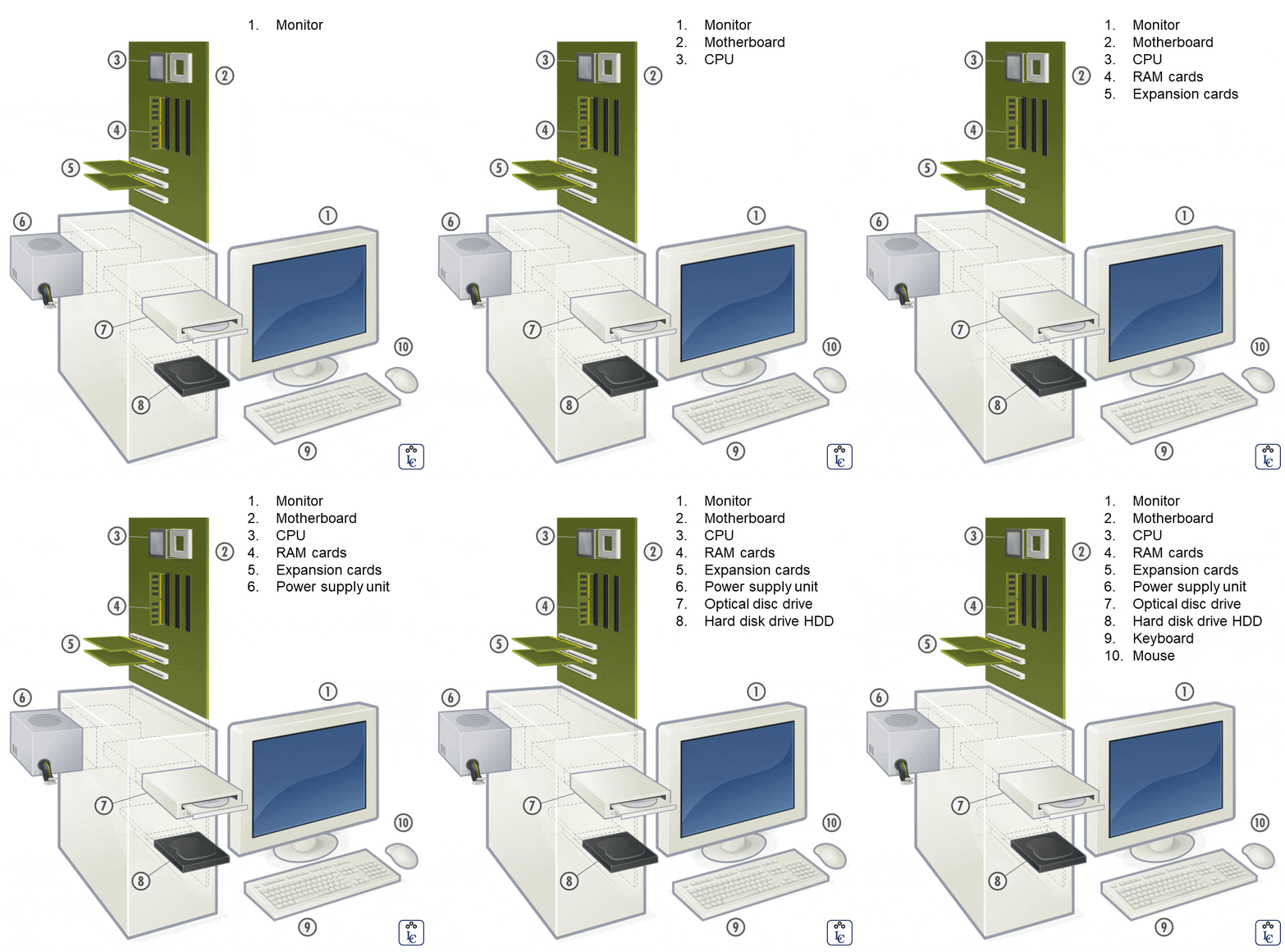
Computer hardware (usually simply called hardware when a computing context is concerned) is the collection of physical elements that constitutes a computer system.
Computer hardware is the physical parts or components of a computer, such as a monitor, mouse, keyboard, computer data storage, hard disk drive (HDD), graphic cards, sound cards, memory, motherboard, and so on, all of which are physical objects that are tangible.
In contrast, the software is the set of instructions that can be stored and run by hardware.
|
GIF image created by Luis R Castellanos Based on image by GustavB, GNU FDL, from Wikimedia Commons |

In the following sections, we will examine the internal and external components of a computer.
Case or chassis
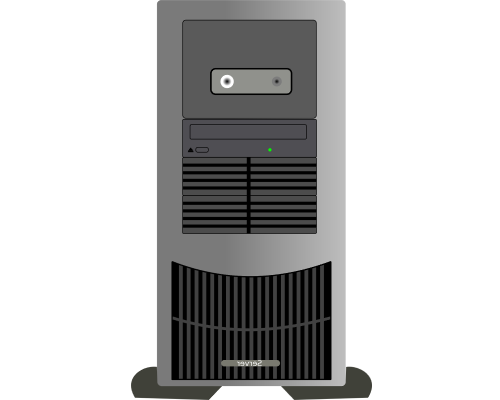
The computer case or chassis is a plastic or metal enclosure that houses most of the components.
Those found on desktop computers are usually small enough to fit under a desk, however in recent years more compact designs have become more commonplace, such as the all-in-one style designs.
Though a case can basically be big or small, what matters more is which form factor of motherboard it’s designed for.
 |
 |
|
Horizontal computer case Image by OpenClipart-Vectors from Pixabay |
Mini Tower computer case Image by OpenClipart-Vectors from Pixabay |
Motherboard
Prior to the invention of the microprocessor, the digital computer consisted of multiple printed circuit boards in a card-cage case with components connected by a backplane, a set of interconnected sockets. In very old designs the wires were discrete connections between card connector pins, but printed circuit boards soon became the standard practice. The Central Processing Unit (CPU), memory, and peripherals were housed on individual printed circuit boards, which were plugged into the backplate.
During the late 1980s and 1990s, it became economical to move an increasing number of peripheral functions onto the motherboard. In the late 1980s, personal computer motherboards began to include single ICs (also called Super I/O chips) capable of supporting a set of low-speed peripherals: keyboard, mouse, floppy disk drive, serial ports, and parallel ports. By the late-1990s, many personal computer motherboards supported a full range of audio, video, storage, and networking functions without the need for any expansion cards at all; higher-end systems for 3D gaming and computer graphics typically retained only the graphics card as a separate component.
A motherboard is the main component of a computer.
Sometimes it is alternatively known as the mainboard, system board, planar board, or logic board, colloquially, a MoBo. It holds and allows communication between many of the crucial electronic components of a system that connects the other parts of the computer including the CPU, the RAM, the disk drives (CD, DVD, hard disk, or any others) as well as any peripherals connected via the ports or the expansion slots.
Components directly attached to or part of the motherboard include a central processing unit, chipset, random-access memory, read-only memory buses, and CMOS battery.

| PC Desktop Motherboard. Image by Bruno, from Pixabay |
Central Processing Unit
The CPU (Central Processing Unit), also called processor or microprocessor, performs most of the calculations which enable a computer to function, and is sometimes referred to as the “brain” of the computer.
The CPU has four (4) main components:
- Control Unit (CU): Directs operations, reads instructions, and turns them into signals that tell the rest of the computer what to do.
- Arithmetic Logic Unit (ALU): Performs math (addition, subtraction) and logic checks (comparing numbers or true/false choices).
- Registers: Tiny, ultra-fast storage spots inside the processor that hold the exact data the CPU is working on right now.
- Cache Memory: A small, fast type of memory on the chip that keeps frequently used data close by so the CPU avoids waiting on regular RAM.
It is usually cooled by a heat sink and fan. Most microprocessors include an on-die Graphics Processing Unit (GPU), memory, peripheral interfaces, and other components such as integrated devices also known as microcontrollers or systems on a chip (SoC).
Some computers employ a multi-core processor, which is a single chip containing two or more CPUs called “cores”; in that context, single chips are sometimes referred to as “sockets”. Array processors or vector processors have multiple processors that operate in parallel, with no unit considered central.
CPU speed is measured in Hertzs (Hz).
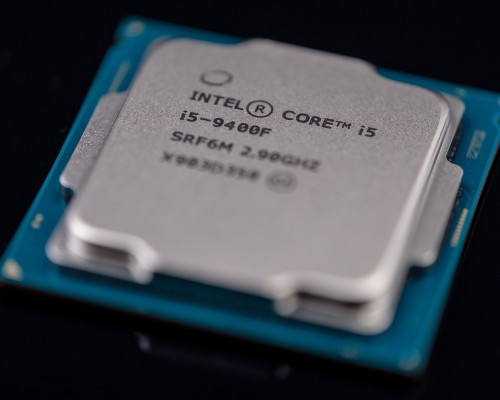
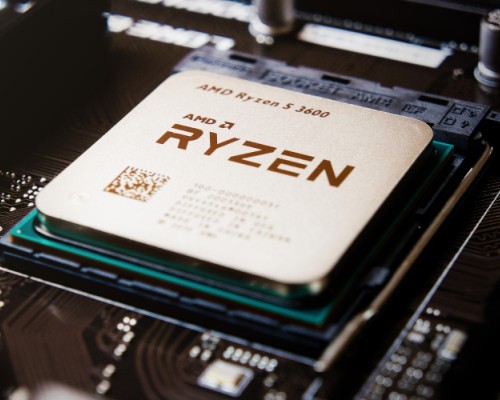
The most important CPU vendors for Personal Computers and Mobile computing are Intel, AMD, Apple and Qualcomm.
- Intel and AMD are the two primary CPU vendors that completely dominate the traditional x86 desktop computer market, powering the vast majority of custom builds, pre-built PCs, and workstations.
- Apple produces custom ARM-based (Advanced RISC Machine) silicon (M-series chips) for their own desktop lineup like the iMac and Mac mini/Studio, as the CPUs for the iPad and iPhone.
- Qualcomm focuses on tablet and smartphone CPUs.
 |
 |
 |
 |
|
Intel Core i5 CPU |
AMD Ryzen 5 CPU |
Qualcomm Snapdragon CPU |
Apple A11 CPU Image by Henriok, CC0, Wikimedia Commons |

Chipset
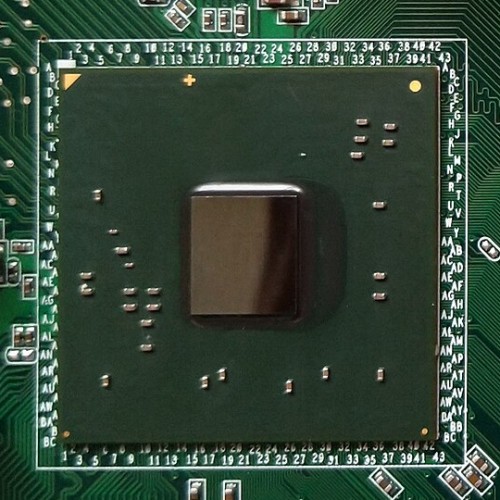
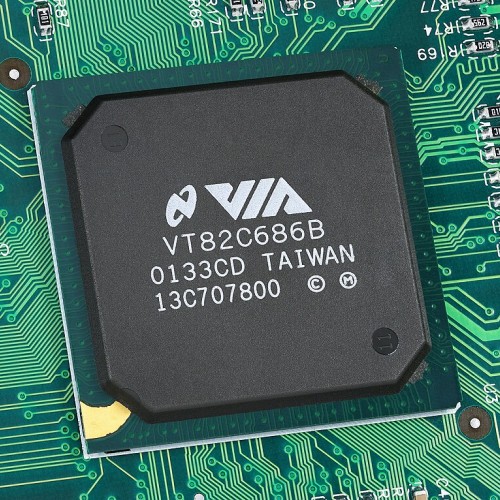
The chipset is a set of electronic components in an integrated circuit that manages the data flow between the processor, memory, and peripherals.
It is designed to work with a specific family of microprocessors.
Because it controls communications between the processor and external devices, the chipset plays a crucial role in determining system performance.
 |
 |
 |
 |
|
Intel i945GC Chipset By JulianVilla26, CC BY-SA 4.0, Wikimedia Commons |
AMD Chipset By Brit Robin, CC BY-SA 4.0, Wikimedia Commons |
VIA Chipset Mister RF, CC BY-SA 4.0, Wikimedia Commons |
VLSI Chipset Appaloosa, CC BY-SA 3.0, Wikimedia Commons |


Random-Access Memory
The Random-Access Memory (RAM), a volatile memory chip (where stored information is lost if power is removed) stores the code and data that are being actively accessed by the CPU. Today, random-access memory takes the form of integrated circuits.
Other types of non-volatile memory exist that allow random access for reading operations, but either do not allow write operations or have limitations on them.
These include most types of ROM and a type of flash memory called NOR-Flash.

| SIMM RAM Card. Mister RF, CC BY-SA 4.0, Wikimedia Commons |

Read-Only Memory
The Read-Only Memory (ROM), a non-volatile memory chip, stores data by permanently enabling or disabling selected transistors, such that the memory cannot be altered. It stores the BIOS that runs when the computer is powered on or otherwise begins execution, a process known as Bootstrapping, or “booting” or “booting up”.
The BIOS (Basic Input Output System) includes boot firmware and power management firmware. Newer motherboards use Unified Extensible Firmware Interface (UEFI) instead of BIOS.
There are other types of non-volatile memory that are not based on solid-state IC technology, including Optical storage media, such CD-ROM which is read-only (analogous to masked ROM). CD-R is Write Once Read Many (analogous to PROM), while CD-RW supports erase-rewrite cycles (analogous to EEPROM); both are designed for backward compatibility with CD-ROM.
 |
 |
|
BIOS AMIBIOS chip MOS6502, CC BY-SA 2.5, Wikimedia Commons |
UEFI Windbond chip Raimond Spekking, CC BY-SA 4.0, Wikimedia Commons |

Buses
Buses are communication systems that transfer data between components inside a computer, or between computers.
This expression covers all related hardware components (wire, optical fiber, etc.) and software, including communication protocols.
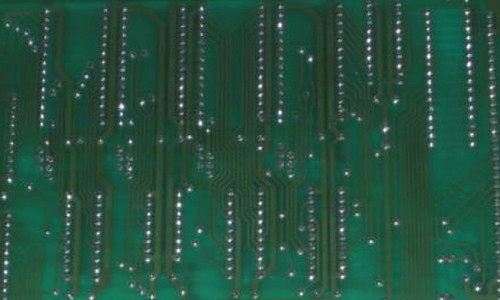
An internal bus (also known as an internal data bus, memory bus, system bus, or Front-Side-Bus) expand cards for graphics and sound. Internal data buses are also referred to as local bus because they are intended to connect to local devices. This bus is typically rather quick and independent of the rest of the computer operations.
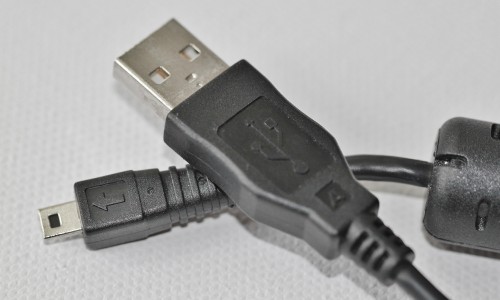
The external bus, or expansion bus, is made up of the electronic pathways that connect the different external devices, such as printers, etc., to the computer.
 |
 |
|
Internal Bus Chris Whytehead, Chris's Acorns – CC-BY-SA-3.0, Wikimedia Commons |
External Bus Image CocoParisienne by from Pixabay |

CMOS Battery
The Complementary Metal-Oxide Semiconductor (CMOS) battery is also attached to the motherboard.
This battery is the same as a watch battery or a battery for a remote to a car’s central locking system. Most batteries are CR2032, which powers the memory for date and time in the BIOS chip.
Sockets
Sockets (or slots) in which one or more microprocessors may be installed.
In the case of CPUs in ball grid array packages, such as the VIA C3, the CPU is directly soldered to the motherboard. A CPU socket (central processing unit) attaches to a Printed Circuit Board (PCB) and is designed to house a CPU (also called a microprocessor). It is a special type of integrated circuit socket designed for very high pin counts. A CPU socket provides many functions, including a physical structure to support the CPU, support for a heat sink, facilitating replacement (as well as reducing cost), and most importantly, forming an electrical interface both with the CPU and the PCB. CPU sockets on the motherboard can most often be found in most desktop and server computers (laptops typically use surface mount CPUs), particularly those based on the Intel x86 architecture.
A CPU socket type and motherboard chipset must support the CPU series and speed.
Slots
Slots into which the system’s main memory is to be installed (typically in the form of DIMM modules containing DRAM chips). For example, the slots for expansion cards (the interface to the system via the buses supported by the chipset)
 |
 |
 |
|
CMOS on a motherboard By Lenharth Systems, CC0, from Wikimedia Commons |
CPU Socket By Smial (FAL or GFDL 1.2), from Wikimedia Commons |
AGP and PCI RAM cards Slots By Mixabest, Public domain, from Wikimedia Commons |


Clock Generator
A clock generator produces the system clock signal to synchronize the various components.
Power Connectors
Power connectors receive electrical power from the computer power supply and distribute it to the CPU, chipset, main memory, and expansion cards. As of 2007, some graphics cards (e.g. GeForce 8 and Radeon R600) require more power than the motherboard can provide, and thus dedicated connectors have been introduced to attach them directly to the power supply.
Connectors for Hard Drives
Connectors for hard drives are typically Serial Advanced Technology Attachment (SATA) only. Disk drives also connect to the power supply.
Additionally, nearly all motherboards include logic and connectors to support commonly used input devices, such as USB connectors for a mouse and keyboard. Occasionally video interface hardware was also integrated into the motherboard.
Given the high thermal design power of high-speed computer CPUs and components, modern motherboards nearly always include heat sinks and mounting points for fans to dissipate excess heat.
 |
 |
 |
|
Clock Generator chip Raimond Spekking, CC BY-SA 4.0, Wikimedia Commons |
Power connectors Baran Ivo, Public domain, Wikimedia Commons |
HD connectors Adamantios, CC BY-SA 3.0, Wikimedia Commons |


Lifewire - A Beginner's Guide to Computer Hardware: From CPUs to SSDs

PGCC. INT1010: Concepts in Computing. Libretexts. 2021. Link.
| Image by Krzysiup from Pixabay |
This page titled 3.2: Hardware components was last modified on Tue, 15 Sep 2026 22:04:35 GMT and is shared under a CC BY-NC-SA 4.0 license and was authored, remixed, and/or curated by Luis Castellanos Hurtado.
The book could not be loaded just now.