Opening the book…

7.4.1. Data Security
It is the confidentiality, integrity, and availability (CIA) of the data in a database that need to be protected.
Confidentiality can be lost if an unauthorized person gains entry or access to a database, or if a person who is authorized to view selected records in a database accesses other records he or she should not be able to view.
If the data is altered by someone who is unauthorized to do so, the result is a loss of data integrity.
And if those who need to have access to the database and its services are blocked from doing so, there is a resulting loss of availability.
| Check Information Security Triad |
Security of any database is significantly impacted by any one or more of these basic components of CIA being violated. There are various reasons for spending money, time, and effort on data protection.
The main reason is reducing financial loss, followed by compliance with regulatory requirements, maintaining high levels of productivity, and meeting customer expectations.
Both businesses and home computer users should be concerned about data security.
The information stored in databases—client information, payment information, personal files, bank account details, and more—can be hard to replace, whether the loss results from
- physical threats such as a fire or a significant power outage
- human error that results in errors in the processing of information or unintended deletion of data, or from erroneous input
- corporate espionage, theft, or malicious activity.
Loss of this data is potentially dangerous if it falls into the wrong hands.
It is in these three areas that a risk assessment of the database’s security and protection of the data should focus. Is there a backup procedure that would allow access to the data if the primary database is destroyed by a physical threat? That same backup procedure might be important in case the CIA of the database is inadvertently affected by human error. And what safeguards can/should be put in place to prevent incidents of espionage, theft, or other malicious activity?
7.4.2. Data Breaches
Just how prevalent are the threats against databases? Is it worth the time, money, and personnel effort to ensure that the database is safeguarded?
A data breach is any security incident in which unauthorized parties access sensitive or confidential information, including personal and corporate data.
Why do Data Breaches happen?
Data breaches are caused by:
-
Innocent mistakes, such as an employee emailing confidential information to the wrong person.
-
Malicious insiders, including angry or laid-off employees who want to hurt the company or cause reputational damage, and greedy employees who want to profit off the company's data.
-
Hackers, malicious outsiders who commit intentional cyber crimes to steal data. Hackers can act as lone operators or part of an organized ring.
Financial gain is the primary motivation for most malicious data breaches. Hackers steal credit card numbers, bank accounts or other financial information to directly drain funds from people and companies.
No database, and no government agency, company, or business is as secure as the owners of that database think. It is difficult for database administrators and security managers to keep pace with the new threats and vulnerabilities that continually emerge.
How do Data Breaches happen?
Most intentional data breaches caused by internal or external threat actors follow the same basic pattern:
- Research: The threat actor identifies a target and looks for weaknesses that they can use to break into the target's system. These weaknesses can be technical, such as inadequate security controls, or human, such as employees susceptible to social engineering.
- Attack: The threat actor starts an attack on the target by using their chosen method. The attacker might send a spear-phishing email, directly exploit vulnerabilities in the system, use stolen login credentials to take over an account or leverage other common data breach attack vectors.
- Compromise or extract the data: Inside the system, the attacker locates the data they want and does what they came to do. Common tactics include exfiltrating data for sale or use, destroying the data or locking up data to demand a ransom.
Some consequences of Data Breaches
- Financial losses: Financial losses are one of the major impacts that will result from a data breach at a business.
- Remediation expenses are one of the more immediate consequences of a data breach at a business. This includes the costs associated with investigating the breach, mitigating its impact, and finally restoring systems and data integrity.
- Data breaches can lead to a loss of revenue and market value as a result of diminished customer trust, reputational damage, and decreased sales. Customers may choose to take their business elsewhere following a breach, resulting in lost sales and reduced revenue over the long term.
-
Businesses may need to allocate resources to communicate transparently with affected customers, offer compensation or incentives to regain their loyalty, and reassure prospective customers about the company’s commitment to data security.
-
Additionally, businesses may incur costs associated with implementing customer retention programs, such as loyalty rewards and promotional campaigns, to mitigate churn and preserve customer relationships in the aftermath of a breach.
-
Reputational Damages: The trust and confidence that customers place in a business are invaluable assets. However, a data breach can shatter this trust overnight, resulting in long-term reputational damage. When news of a breach breaks, businesses often face a number of implications as a result.
-
Legal and Compliance Consequences: There are also a number of legal ramifications as a direct result of a data breach. Whilst the breach itself is already an impact, there are rules and regulations that must be followed when handling personal, and at times, sensitive data of individuals and businesses. Failing to comply with these guidelines brings about legal and compliance consequences.
-
Operational Disruption: Operational disruption resulting from a data breach can significantly impede a business’s ability to function effectively. Not only are the previously mentioned impacts significantly damaging, but internally, there are ramifications that can impact the day to day running of a business.
-
Long Term Fallout: The long-term fallout of a data breach can extend well beyond the immediate aftermath, affecting various aspects of a business’s operations, reputation, and bottom line. All previously mentioned aspects are individual in their nature, however in combination can be incredibly detrimental to a business and their success.
Some all time top Data Breaches
- Yahoo (2013–2014): 3 billion accounts. Exposed names, email addresses, phone numbers, and hashed passwords.
- Mother of All Breaches / MOAB (2024): 26 billion aggregated records. A massive compilation of previously leaked data from various separate breaches combined into a single searchable trove.
- National Public Data (2024): 2.9 billion records. Exposed personal details including Social Security numbers due to an unsecured background-check database.
- CAM4 (2020): 10.88 billion records. An insecure database left names, email addresses, and passwords exposed.
- Chinese Surveillance Network (2025): 4 billion records. An exposed, unencrypted database leaked sensitive personal profiling data.
- Aadhaar (2018): This breach exposed the personal and biometric information of over 1.1 billion Indian citizens.
A not so big data breach, but that probably we would remember, is the Colonial Pipeline breach:
- Colonial Pipeline Company (2021): The Colonial Pipeline carries roughly 45% of the fuel consumed on the U.S. East Coast, running from Houston, Texas, to Linden, New Jersey. Hackers used a compromised password for an inactive virtual private network (VPN) account that did not have multi-factor authentication enabled. The attack was attributed to DarkSide, an Eastern European cyber crime group known for ransomware-as-a-service. Colonial Pipeline Company proactively shut down the entire pipeline system to contain the malware infection. The company paid a ransom of 75 bitcoins—worth about $4.4 million at the time—within hours of the attack to receive a decryption tool. (NordVPN)
| Check: The biggest data breaches in history, from NordVPN (updates annually) |
Even if you were not impacted by any of these data breaches, if you have used a credit card, made an airline reservation, subscribed to a magazine, been a patient in a hospital, or shopped at a chain store (supermarket or department store), or if you are a member of an online social media site, your personally identifiable information (PII) is stored in a database.
Ask yourself: how vulnerable is your PII?
Every company/business/government has different security issues, making it a particularly hard challenge to standardize any one solution that fits all. However, there are some common threats and vulnerabilities that seem to occur repeatedly.

| Data breach. Image generated by Luis R Castellanos, Public Domain, with Google Gemini. |
7.4.3. Threats
A cyber or cybersecurity threat Is a potential risk that could harm a system, network, or data.
A cyber attack, however, is when that risk becomes a deliberate action.
They can jeopardize sensitive data, disrupt operations, or damage critical digital infrastructure such as computer systems and online networks.
The most common cybersecurity threats, according to NordVPN are:
Malware attacks
A malware attack occurs when malicious software—code written by cyber criminals—infiltrates a computer, network, or device to steal data, compromise systems, or extort money.
The most common types of Malware are:
-
Ransomware: Encrypts your files or locks your system, demanding a payment (usually in cryptocurrency) to restore access.
-
Trojans: Disguises itself as legitimate software to trick users into downloading and executing it.
-
Spyware: Runs silently in the background to monitor your activity, record keystrokes, or steal login credentials.
-
Viruses: Attaches to clean files and spreads through host systems, corrupting data as it executes.
-
Worms: Self-replicating programs that spread across entire networks automatically without requiring human action.
-
Adware: Automatically generates unwanted advertisements, often tracking browsing habits to serve targeted spam.
-
Rootkits: Grants attackers administrator-level access while hiding its presence deep within the operating system.
Social engineering attacks
A Social Engineering attack is a security threat that relies on human interaction and psychological manipulation rather than technical exploits. Instead of searching for vulnerabilities in software or firewalls, cyber criminals trick individuals into breaking standard security procedures, revealing sensitive information, or transferring funds.
The most common attack types are:
-
Phishing: Deceptive emails designed to look like legitimate institutions (banks, software providers) asking users to reset passwords or verify billing.
-
Spear Phishing & Whale Phishing (Whaling): Targeted attacks custom-tailored to a specific individual or executive based on detailed personal reconnaissance.
-
Business Email Compromise (BEC): Spoofing or hacking a corporate email account to direct employees to route fraudulent wire transfers or share tax records.
-
Smishing & Vishing: Social engineering conducted via text messages (SMS phishing) or direct phone calls (voice phishing).
-
Pretexting: Inventing a fabricated scenario (pretext) to justify asking for access, such as pretending to conduct a security audit.
-
Baiting & Tailgating: Enticing victims with a free offer (baiting) or physically following an authorized person through a secure doorway (tailgating).
Denial-of-Service attacks (DoS)
A Denial of Service (DoS) attack is a cyber attack aimed at shutting down a machine, network, or online service to make it unavailable to its intended users. Attackers accomplish this by flooding the target with fake traffic or sending information that triggers a crash, exhausting system resources like bandwidth, memory, or CPU capacity.
-
DoS (Denial of Service): Uses a single computer and internet connection to flood a target server or network with malicious traffic.
-
DDoS (Distributed Denial of Service): Uses a network of multiple compromised devices (known as a botnet) scattered globally. Because the traffic originates from thousands of different IP addresses simultaneously, it is much harder to block.
Man-in-the-middle attacks (MitM)
A Man-in-the-Middle (MitM) attack occurs when a cyber criminal secretly positions themselves between two communicating parties (such as a user and a website, server, or application). Once positioned, the attacker can silently intercept, eavesdrop on, or alter the data passing between the two parties without either side knowing the connection has been compromised.
Supply chain attacks
A Supply Chain attack occurs when an attacker targets a less-secure third-party vendor, software dependency, or service provider to breach a final, higher-value organization. Instead of attacking a target directly, cyber criminals compromise the tools, hardware, or software updates the target trusts and uses daily.
Injection attacks
An Injection attack occurs when untrusted user input is directly passed to an interpreter or compiler without proper validation, sanitization, or filtering. Cyber criminals supply malicious code or commands into an application's input field (such as a search bar, login form, or API query), tricking the application into executing arbitrary commands or altering database queries.
Internet of Things (IoT) attacks
An IoT attack targets connected non-traditional computing devices—such as smart home appliances, medical monitors, industrial sensors, and security cameras. Because many IoT devices possess limited processing power and lack robust built-in security controls, attackers exploit them to breach private networks or enlist thousands of compromised devices into "botnets" to execute massive Distributed Denial of Service (DDoS) attacks.
Advanced persistent threats (APTs)
An Advanced Persistent Threat (APT) is a prolonged, highly targeted cyber campaign in which an unauthorized intruder gains access to a network and remains undetected for an extended period. APTs are typically executed by state-sponsored cyber units or well-funded criminal organizations targeting high-value assets, intellectual property, or government infrastructure.
Zero-day exploits
A Zero-Day Exploit occurs when an attacker launches a cyber attack using a software, hardware, or firmware vulnerability that is completely unknown to the vendor and system developers. Because the vendor has had "zero days" to create and release a patch, traditional antivirus tools and signature-based defenses are often ineffective.
Password attacks
A Password attack encompasses any technique aimed at illegally acquiring or guessing a user’s authentication password to compromise an account or system. Cybercriminals exploit weak password choices, reused credentials, and unencrypted databases to bypass access controls.
Primary Tactics:
-
Brute Force: Testing random combinations of characters until the correct password is found.
-
Credential Stuffing: Automated testing of stolen username/password pairs across hundreds of websites.
-
Password Spraying: Trying a few common passwords (e.g.,
Password123) against a massive number of usernames to avoid account lockouts.
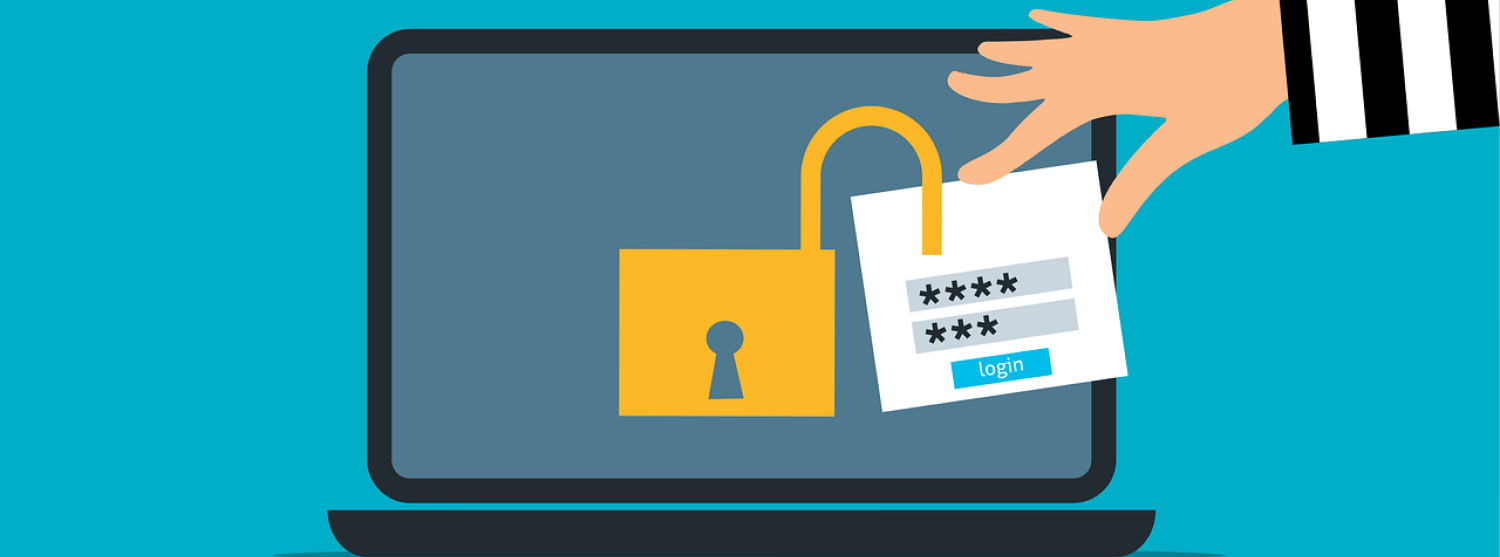
| Password attack. Image by Mohamed_Hassan from Pixabay. |
7.4.4. Vulnerabilities
A vulnerability is a weakness that can be exploited by cyber criminals to gain unauthorized access to a computer system.
There are other means by which databases are exposed to security breaches, and these are considered vulnerabilities that may subject a database to a security breach. These are more passive, but they can do as much harm as direct threats:
Data at rest
Refers to static information that is inactive and physically stored on a stable media device or platform. The data is not actively moving across a network or being processed in active memory (RAM).
Data at rest typically is not as well protected as data that has been entered into the database and enjoys the database security measures.
Data in motion
Refers to information that is actively moving from one location to another across a network. This includes data moving across the public internet, over local area networks (LAN), between microservices, or through cloud environments.
For example, the data might be transferred to a backup facility that is not part of the internal storage media used for daily work.
Poor architecture
Security was not adequately factored into the design and development of the database structure. This vulnerability may not be discovered until there is an attempted or successful data breach.
Vendor bugs
Particularly programming flaws that allow actions to take place within the database and with the data that were not intended or planned. Much like poor application architecture, this vulnerability may not be uncovered until there is an attempted or successful data breach.
Unlocked database
Is a database that has no security measures in place to control access or auditing. This seems counterintuitive, but many home users employing a database for personal needs, or even for working on company data while at home, maybe working with an unlocked database.
7.4.5. Risks
A cybersecurity risk is the probability that a threat will exploit a vulnerability, resulting in financial loss, operational disruption, or reputational damage.
One of the main objectives of cybersecurity staff is to do continuous risk assessment.
Risk Assessment is the process of identifying risks to organizational operations (including mission, functions, image, reputation), organizational assets, individuals, other organizations, and the Nation, resulting from the operation of an information system.
In the business environment, it is critical that a thorough risk assessment takes place and be periodically reviewed. Every organization must decide which are the cybersecurity risk levels and how they can describe each one of them, according to their risk assessment.
The most common classification of the core risk levels is:
- Low Risk: Minor vulnerabilities with low impact. They pose little danger to core operations and often require routine or scheduled patching.
- Moderate / Medium Risk: Issues that could cause noticeable disruption or localized harm, such as a targeted phishing campaign or a misconfigured internal tool. These require planned remediation.
- High Risk: Severe vulnerabilities or active threats that threaten sensitive data, regulatory compliance, or business continuity. These demand immediate technical and executive intervention.
- Critical / Severe Risk: Catastrophic failures or active exploits causing widespread system outages or data exfiltration. These require emergency response protocols
Steps to perform a Cybersecurity Risk Assessment:
- Define objectives and scope
- Prioritize IT assets
- Identify threats and vulnerabilities
- Determine risk levels and prioritize risks
- Address risks with security measures
- Implement secure coding practices
- Conduct continuous monitoring and document risks
There are identified solutions for each of the threats and vulnerabilities discussed here, including well-defined and enforced access policies, use of strong data encryption, vulnerability assessments, policies related to strong passwords, and installation of firewalls.
There are companies that specialize in designing plans, procedures, and software to prevent data loss or data leakage.
With data loss, the data is lost forever, either by deletion, theft, or data corruption. Data leakage allows unauthorized people to get access to the data, either by intentional action or by mistake. So, data loss and data leakage can be intentional or unintentional, and both can be malicious or just human errors.

| Risk Management Matrix. Image by Luis R Castellanos, Public Domain, own work. |
7.4.6. Protect PII
Protecting databases and the data contained within can be a costly and all-consuming activity.
But what does this mean for you, the individual who uses that credit card, makes airline reservations, files taxes online, subscribes to a magazine, has been a patient in a hospital, shops at a chain store, or is a member of an online social media site?
Your PII is out there, stored in multiple databases. Obviously, you cannot implement security measures for the company, business, or government agency that holds your PII. But are there many measures you can take to better protect yourself? Let’s see some few rules of thumb that you can implement…
Keep your passwords to yourself
Do not leave a slip with a list of passwords under your computer, or anywhere where it can be viewed or taken by someone. Just giving your password to a friend is not a good idea, either.
Use strong passwords
Many of your user IDs must have strong passwords to gain entry into one or more systems. In those instances when you can choose any password configuration, pick a strong password to protect your information.
Use different passwords for different accounts
Remembering multiple passwords can be a challenge, and it’s often convenient to use the same password for multiple accounts, ranging from Facebook and your bank account to your X (formerly Twitter) page. The danger here is that a compromise of any one of these accounts could also result in the compromise of others if the same password is used for multiple accounts.
Check your credit reports annually
Sometimes people don’t learn that they’re victims of identity theft until their credit rating and identity are destroyed. It’s proactive to get copies of your credit reports from the credit bureaus and carefully review them for any errors. Be sure to follow-up with the credit bureaus to make any corrections to your reports, if needed. By law, you can get one free credit report from each of the three credit bureaus every year.
|
The three nationwide consumer reporting companies are: |
||
| Equifax | Experian | TransUnion |
Google yourself
Enter your own name in Google, Yahoo or other search engine and see what data comes up. Investigate any postings about yourself in the information that you find. Look for any suggestions that your PII may be compromised.
Remember that people can be a very weak link in security
No matter how secure you make your passwords and how careful you are with your technology, there is always a human element to protecting your information.
Control physical access to your devices
It’s important not leave laptops and other mobile devices unattended in public locations, like a coffee shop or other location with free WiFi. An unattended machine is at risk, for both theft and other security threats. When you aren't controlling physical access to your machine, you shouldn’t let it out of your sight.
Remember to logout of a website when you are finished using it
Whether it’s your email, bank account, retail store shopping account or library account, always remember to logout when you leave the website.
Remember to lock your computer with a password when you are finished using it
By requiring a password to access your computer (or other electronic device) you are protecting your information. You are also making your computer useless to a thief who cannot break password locks.

| Protect PII. Image by Mike Hindle from Unsplash. |

Adept IT. What are the Real Costs of a Data Breach for your Business? 2024. Link.
CISA. Understanding Denial-of-Service Attacks. 2021. Link.
Cyber Safety Authority. Social Engineering Tactics in Cybercrime. nd. Link.
Fortinet. What is cyber risk? Definition, types & how to mitigate it. nd. Link.
Kosinski, Matthew. What is a data breach? IBM. nd. Link.
NIST. Topics. nd. Link.
OWASP. A05:2025 Injection. nd. Link.
PGCC. INT1010: Concepts in Computing. Libretexts. 2021. Link.
Secure Code Warrior. Cybersecurity Risk Assessment: Definition and Steps. 2025. Link.
Skebaite, Aurelija. The biggest data breaches in history. NordVPN. 2026. Link.
Slekyté, Irma. Colonial pipeline cyberattack: What happened, and what we’ve learned. NordVPN. 2024. Link.
| Banner image by Mikhail Nilov from Pexels |
This page titled 7.4: Databases and Security Issues was last modified on Sat, 19 Sep 2026 16:09:17 GMT and is shared under a CC BY-NC-SA 4.0 license and was authored, remixed, and/or curated by Luis Castellanos Hurtado.
The book could not be loaded just now.