Opening the book…

9.3.1. Overview
The first version of HTML was written by Tim Berners-Lee in 1993. Since then, there have been many different versions of HTML. The most widely used version is HTML 5.
9.3.2. What is HTML?
HTML is at the core of every web page. Behind every web page you've ever visited there is HTML code that your web browser uses to display elements like text, images and tables.
HTML is the standard language for documents designed to be displayed in a web browser.
Web browsers read HTML documents (containing HTML code) to display the resulting web page. An HTML document can include different elements such as text headings, paragraphs, images or tables. These elements are defined using different tags. HTML is based on tags. You can tell the web browser that you want to include a paragraph of text in your web page by enclosing the text in paragraph tags <p>.
9.3.3. HTML Structure
An HTML 5 document must always start with the <!DOCTYPE html> declaration as its very first line. It officially informs the browser that the document should be interpreted as a standard HTML 5 page.
An HTML page follows a standard hierarchical structure consisting of three sections:
- "head" section (metadata) (optional)
- Highly recommended to include <title> </title> (Sets the text displayed on the browser tab)
- "body" section (visible content) (mandatory)
- "footer" section (usually shows copyright indicators, terms of service, or contact details) (optional)
Most HTML tags come in pairs: an opening tag and a closing tag, wrapping around the content they modify. Together, the tags and the content between them make up an HTML element.
Tags are written using angle brackets to delineate HTML elements. Browsers do not display the HTML tags but use them to interpret the content of the page.
- Opening Tag: Consists of the element name inside angle brackets (e.g.,
<p>). It signals where an effect or section begins. - Content: The actual text, image, or media you want to display.
- Closing Tag: Looks just like the opening tag but includes a forward slash (
/) before the element name (e.g.,</p>). It signals the end of that section.

| Structure for an HTML document. By Luis R Castellanos, Public domain, own work. |
9.3.4. CSS
Cascading Style Sheets (CSS) is the design language used to style and lay out HTML elements on a webpage. While HTML provides the raw structure and text content, CSS controls how that content looks visually.
What CSS Is Used For
- Styling Appearance: Customizing colors, background shades, typography, font sizes, and borders.
- Layout Management: Arranging elements into side-by-side columns, grids, or flexible alignments using modern layout engines like Flexbox and CSS Grid.
- Responsive Design: Adapting layouts across phones, tablets, and desktop displays using media queries (
@media). - Animations & Transitions: Creating interactive hover effects, smooth color changes, and keyframe animations.
Basic Syntax & Structure
CSS applies styles using rulesets. A ruleset consists of a selector pointing to an HTML element, followed by a declaration block containing CSS property-value pairs.
Check the CSS official page at W3C
9.3.5. HTML Basics
Check the list of HTML tags, from A to Z, from Geeks for Geeks
Headings
| Source code | Outcome |
|
<h1> This is an H1 header </h1> <h2> This is an H2 header </h2> <h3> This is an H3 header </h3> <h4> This is an H4 header </h4> <h5> This is an H5 header </h5> <h6> This is an H6 header </h6> |
This is an H1 headerThis is an H2 headerThis is an H3 headerThis is an H4 headerThis is an H5 headerThis is an H6 header |
Paragraphs
| Source code | Outcome |
|
<p> This is a normal paragraph, about history. </p> <hr> <p> Philadelphia was founded in 1682 by William Penn, an English Quaker. </p> |
This is a normal paragraph, about history. Philadelphia was founded in 1682 by William Penn, an English Quaker. |
|
<h1>United States capital cities</h1> <h3>New York</h3> <p>New York City served as the capital of the United States from 1785 to 1790.</p> <h3>Philadelphia</h3> <p>Philadelphia served as the capital of the United States from 1790 to 1800.</p> <h3>District of Columbia</h3> <p>Washington, D.C. serves as the capital of the United States since 1800.</p> |
United States capital citiesNew YorkNew York City served as the capital of the United States from 1785 to 1790. PhiladelphiaPhiladelphia served as the capital of the United States from 1790 to 1800. District of ColumbiaWashington, D.C. serves as the capital of the United States since 1800. |
Lists
| Source code | Outcome |
|
<h1>The days of the week are:</h1> <!-- this is a bullet list --> <ul> <li>Sunday</li> <li>Monday</li> <li>Tuesday</li> <li>Wednesday</li> <li>Thursday</li> <li>Friday</li> <li>Saturday</li> </ul> |
The days of the week are:
|
|
<h1>The days of the week are:</h1> <!-- this is a numbered list --> <ol> <li>Sunday</li> <li>Monday</li> <li>Tuesday</li> <li>Wednesday</li> <li>Thursday</li> <li>Friday</li> <li>Saturday</li> </ol> |
The days of the week are:
|
|
<h1>These are my classes during the week:</h1> <!-- this is a bullet list, nested in a numbered list--> <ol> <li>Monday</li> <ul> <li>INT1010</li> <li>MAT1010</li> </ul> <li>Tuesday</li> <ul> <li>SOC1011</li> <li>BIO1011</li> </ul> <li>Wednesday</li> <ul> <li>INT1010</li> <li>MAT1010</li> </ul> <li>Thursday</li> <ul> <li>SOC1011</li> <li>BIO1011</li> </ul> </ol> |
These are my classes during the week:
|
|
<h1>Some acronyms used in Web development:</h1> <!-- this is a description list--> <dl> <dt>CSS</dt> <dd>Cascading Style Sheets</dd> <dt>HTML</dt> <dd>HyperText Markup Language</dd> <dt>WWW</dt> <dd>World Wide Web</dd> </dl> |
Some acronyms used in Web development:
|
Images and Videos
| Source code | Outcome |
|
<!-- Showing an image, found in a web page --> <img src="https://colonialbrewer.com/wp-conten...06/image-8.png" alt="Historic Philadelphia"> |
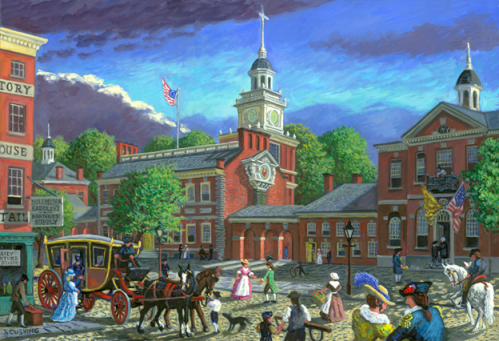 |
|
<!-- Showing a YouTube video --> <iframe width="500" height="300" src="https://www.youtube-nocookie.com/emb...yg9f-uW-myBrjn" title="The Processor" frameborder="0" allow="accelerometer; autoplay; clipboard-write; encrypted-media; gyroscope; picture-in-picture; web-share" referrerpolicy="strict-origin-when-cross-origin" allowfullscreen></iframe> <!-- Copy the code from the "Embed Video" option in Youtube, in "Share" --> |

Links
| Source code | Outcome | |
| Link opens in the same tab |
<a href="https://www.pgcc.edu/" target="_self">Visit PGCC</a> |
|
| Link that opens in a new tab |
<a href="https://www.pgcc.edu/" target="_blank">Visit PGCC</a> |
Quotes and citations
| Source code | Outcome | |
| How to quote |
<blockquote> <p>That's one small step for man, one giant leap for mankind.</p> </blockquote> |
|
| How to cite | <p>— Neil Armstrong, <cite>Apollo 11 astronaut</cite></p> |
— Neil Armstrong, Apollo 11 astronaut |
CSS
| Source code | Outcome | |
| Normal paragraph | <p>The "DMV" area in the United States refers to the metropolitan region surrounding Washington, D.C., including the District of Columbia, Maryland, and Virginia.</p> |
The "DMV" area in the United States refers to the metropolitan region surrounding Washington, D.C., including the District of Columbia, Maryland, and Virginia. |
| Center alignment in a paragraph |
<p style="text-align: center;">The "DMV" area in the United States refers to the metropolitan region surrounding Washington, D.C., including the District of Columbia, Maryland, and Virginia.</p> |
The "DMV" area in the United States refers to the metropolitan region surrounding Washington, D.C., including the District of Columbia, Maryland, and Virginia. |
| Right alignment in a paragraph | <p style="text-align: right;">The "DMV" area in the United States refers to the metropolitan region surrounding Washington, D.C., including the District of Columbia, Maryland, and Virginia.</p> |
The "DMV" area in the United States refers to the metropolitan region surrounding Washington, D.C., including the District of Columbia, Maryland, and Virginia. |
| Bold word in a paragraph | <p>The current capital of the United States is <strong>Washington, D.C., </strong> since 1800.</p> |
The current capital of the United States is Washington, D.C., since 1800. |
| Change color in header and in paragraph | <h2 style="color: red;">This H2 heading will be shown in red.</h2>
<p style="color: blue;">This whole paragraph will be shown all in blue.</p> |
This H2 heading will be shown in red.This whole paragraph will be shown all in blue. |

W3C. HTML Living Standard. 2026. Link.
| Banner image by Jackson Sophat from Unsplash |
This page titled 9.3: Appendix E - Basic HTML Instructions was last modified on Sat, 05 Sep 2026 15:19:03 GMT and is shared under a CC BY-NC-SA 4.0 license and was authored, remixed, and/or curated by Luis Castellanos Hurtado.
The book could not be loaded just now.