Opening the book…

6.5.1. New trends
As new technologies and end-user devices come to market, businesses and purchasers must keep on acclimating to this ever-evolving condition. The job of the network is changing to empower the connections between individuals, devices, and data. There are a few new networking trends that will impact organizations and purchasers.
A portion of the top trends include:
- Bring Your Own Device (BYOD)
- Online collaboration
- Video communications
- Cloud computing
- Home trends
Bring Your Own Device
Bring Your Own Device (BYOD) is about end users having the opportunity to utilize individual tools in order to get to data and convey over a business or campus network. With the development of customer devices and the related drop in cost, representatives and students can be relied upon to have probably the most progressive computing and networking tools for individual use. These individual tools can be laptops, e-books, cell phones, and tablets. These can be devices bought by the organization or school, bought by the individual, or both.
BYOD implies any device, with any possession, utilized anyplace. For instance, previously, a student who expected to get access to the campus network or the Internet needed to utilize one of the school's PCs. These devices were commonly constrained and seen as instruments just for work done in the study hall or in the library. Expanded availability through portable and remote access to the campus network gives students a lot of adaptability and opens doors of learning for the student.
Online collaboration
People want to connect with the network, for access to data applications, in addition to team up with each other. Collaboration is characterized as "the demonstration of working with another or others on a joint venture." Collaboration tools, give representatives, students, instructors, clients, and accomplices an approach to quickly interface, connect, and accomplish their targets.
For businesses, collaboration is a basic and vital need that associations are utilizing to sustain their competition. Collaboration is additionally a need in training. Students need to work together to help each other in learning, to create group abilities utilized in the workplace, and to cooperate on group based projects.
Video communication
Another trend in networking that is basic to the correspondence and joint effort exertion is video. Video is being utilized for interchanges, cooperation, and amusement. Video calls can be made to and from anyplace with an Internet connection.
Video conferencing is an incredible asset for speaking with others from a distance, both locally and worldwide. Video is turning into a basic necessity for successful joint effort as associations stretch out across geographic and social limits.
Telepresence is designed to eliminate the feeling of looking at a computer screen, replacing traditional video calls with a highly immersive, lifelike environment. It can be done with immersive video. An immersive video room is a space intentionally designed to make remote participants feel present and actively involved, rather than faces on a screen.
Holographic communication is the real-time transmission of three-dimensional, photorealistic images of people and objects across a network. Unlike flat 2D video conferencing, it captures spatial depth, allowing participants to experience eye contact, parallax, and natural spatial physical cues as if they were sharing the same physical room.
 |
 |
 |
| Video conference. By Getty Images from Unsplash | Telepresence. Courtesy of Tandberg Corp, from Wikimedia Commons | Talking with Hologram. By Luis R Castellanos, Public Domain, generated with Google Gemini |

Cloud computing
Cloud computing is another worldwide trend changing how we access and store information. Cloud computing permits us to store individual files, even backup our whole hard disk drive on servers over the Internet. Applications, for example, word processing, and photograph editing, can be accessed utilizing the Cloud.
As it was said in Chapter 4:
“The cloud” refers to applications, services, and data stored in data centers, server farms, and storage servers and accessed by users via the Internet.
| Check Cloud Computing |
When it comes to businesses, cloud computing expands IT's capabilities without requiring interest in new infrastructure, preparing new faculty, or permitting new software. These services are accessible on request and conveyed economically to any device on the planet without trading off security or capacity.
There are three essential Clouds: Public Clouds, Private Clouds, and Hybrid Clouds.
Cloud computing is conceivable because of data centers. A data center is an office used to house PC frameworks and related parts. A data center can consume one room of a building, at least one story, or the whole thing. Data centers are commonly over the top expensive to manufacture and keep up.
Data center is a physical facility that organizations use to house their critical applications and data.
Therefore, just huge associations utilize secretly fabricated data centers to house their information and offer users assistance. Smaller associations that can't afford to keep up their own private data center can lessen the general expense of ownership by renting server and capacity services from a bigger data center association in the Cloud.
| Top cloud providers in the USA | ||
 |
 |
 |
| AWS logo. By Saquibsk88, CC0, from Wikimedia Commons | Microsoft Azure logo. By Rev1881, CC0, from Wikimedia Commons | Google Cloud logo. By Google, Public domain, from Wikimedia Commons |


.svg)
Domotics
Networking trends are not just influencing how we work or study, and they are also changing pretty much every part of the home.
The most up-to-date home trends incorporate smart home technology, a technology that is coordinated into habitual appliances, permitting them to interconnect with different devices, making them progressively 'smart' or automated.
As it was said in chapter 3:
Domotics (or home automation) refers to all the technologies and automated systems used to control and manage a home's equipment and infrastructure centrally and intelligently.
For instance, envision having the option to set up a dish and spot it in the broiler for cooking before going out for the afternoon. Envision if the stove knew of the dish it was cooking and was associated with your 'schedule of occasions' so it could figure out what time you will be eating and change start times and length of cooking accordingly. It could even modify cooking times and temperatures dependent on plan changes.
Furthermore, a cell phone or tablet connection permits the user to interface with the broiler straightforwardly to make any ideal changes. When the dish is "accessible," the stove sends an alarm message to a predefined end-user device that the dish is done and warming.This situation isn't long-off. Actually, smart home technology is being created for all rooms inside a house.
It will turn out to be a greater degree of reality as home networking and high-speed Internet technology become progressively far-reaching. New home networking technologies are being grown day by day to meet these sorts of developing technology needs.
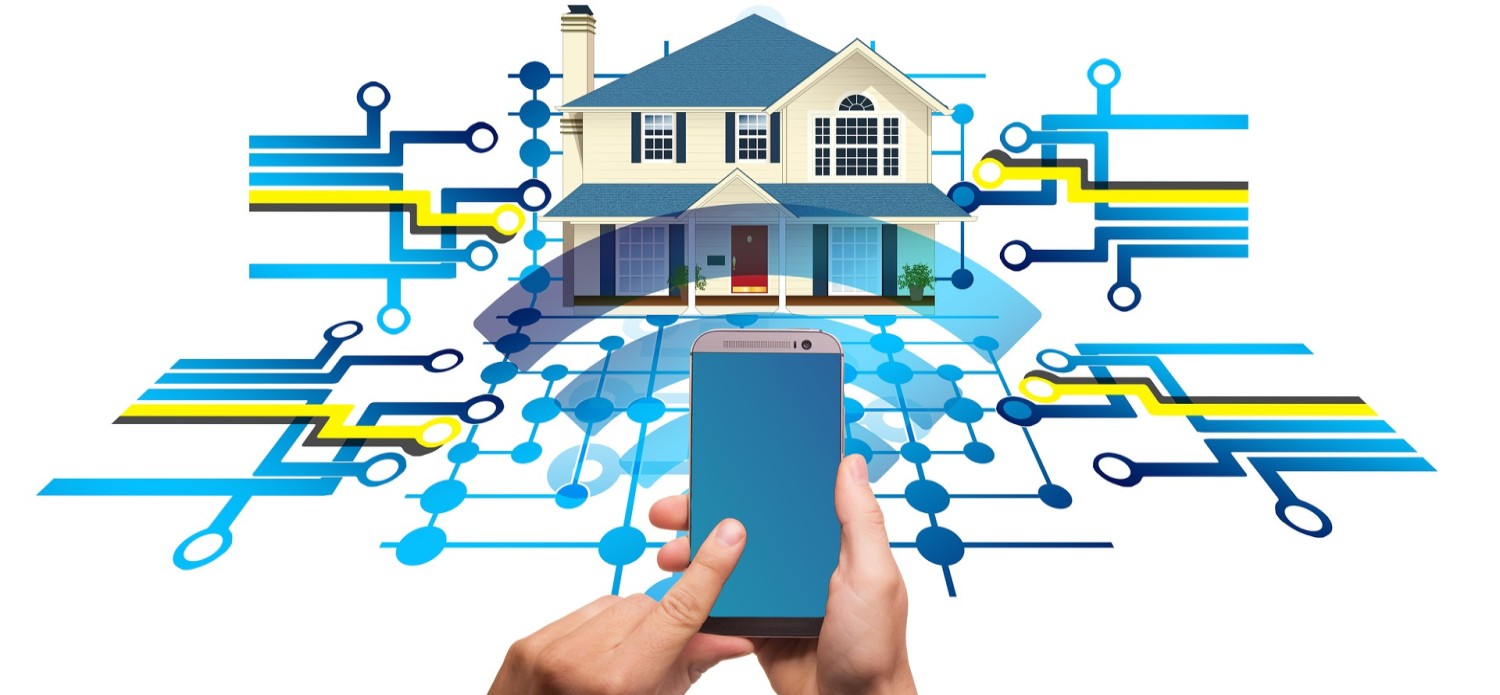
| Domotics. Image by Gerd Altmann from Pixabay |
6.5.2. Powerline Networking
Powerline networking is a rising trend for home networking that utilizes existing electrical wiring to connect devices. The idea of "no new wires" signifies the capacity to connect a device to the network where there is an electrical outlet. This spares the expense of introducing data cables and with no extra expense to the electrical bill. Utilizing similar wiring that conveys power, Powerline networking sends information by sending data on specific frequencies.
A Powerline network uses your home’s existing electrical wiring to send internet signals from your router to another room.
Using a standard Powerline adapter, devices can connect with the LAN any place there is an electrical outlet. Powerline networking is beneficial when wireless access points can't be utilized or can't arrive at all to the devices in the home. Powerline networking isn't intended to fill in for committed cabling in data networks. But it is an alternative when data network cables or wireless communications are not a reasonable choice.

| Powerline Network. Image by Luis R Castellanos, Public Domain, with Google Gemini |
6.5.3. Wireless Broadband
Connecting with the Internet is indispensable in savvy home innovation. DSL and cable are basic advances used to connect homes and private companies to the Internet. Nonetheless, remote access might be another choice in numerous regions.
Another remote answer for home and independent companies is wireless broadband. This uses the equivalent cell innovation to get to the Internet with an advanced mobile phone or tablet. A radio wire is introduced outside the house, giving either remote or wired availability for home devices. In numerous zones, home wireless broadband is contending legitimately with DSL and cable services.

| Wireless broadband. Image by Luis R Castellanos, Public Domain, own work. |
6.5.4. Wireless Internet Provider
Wireless Internet Service Provider (WISP) is an ISP that connects subscribers of an assigned passage or problem area utilizing comparable remote innovations found in-home wireless local area networks (WLANs).
WISPs are all the more usually found in provincial situations where DSL or cable services are not accessible. Though a different transmission tower might be introduced for the antenna, the antenna is usually connected to a current raised structure, such as a water tower or a radio pinnacle.
A little dish or radio wire is introduced on the subscriber's rooftop in the WISP transmitter's scope. The subscriber's entrance unit is associated with the wired system inside the home. From the home user's point of view, the arrangement isn't vastly different from DSL or cable service. The main distinction is that the home's connection to the ISP is remote rather than a physical link.
6.5.5. Cell phones and Roaming
Mobile phone system gets its name from dividing the service area into many small cells, each with a base station with a useful range on the order of a mile.
As mobile phone technologies have evolved, providers in different countries have chosen different communication standards for their mobile phone networks. In the US, both of the two competing standards exist GSM (used by AT&T and T-Mobile) and CDMA (used by the other major carriers). Each standard has its pros and cons, but the bottom line is that phones using one standard cannot easily switch to the other.
GSM stands for Global System for Mobile Communications. CDMA stands for Code Division Multiple Access.
In the US, this is not a big deal because mobile networks exist to support both standards. But when you travel to other countries, you will find that most of them use GSM networks, with the one big exception being Japan, which has standardized on CDMA. It is possible for a mobile phone using one type of network to switch to the other type of network by switching out the SIM card, which controls your access to the mobile network. However, this will not work in all cases.
If you are traveling abroad, it is always best to consult with your mobile provider to determine the best way to access a mobile network.
Data roaming is the use of cellular data services on a mobile device outside of the coverage area of the home network. This can result in additional charges from your mobile service provider, which can vary depending on the destination and the type of data usage.

Roaming. Image by Andrea Piacquadio from Pexels.
| Some Roaming plans for International travel | ||
| T-Mobile | AT&T | Verizon |
Cell phone generations
| 1G | 2G | 3G | 4G | 5G |
|
1980's Analog voice. Unable to transmit any data. Used to make and receive phone calls. |
1990's Digital voice. SMS or text messages. |
2000's Brought mobile data (email, WWW). Video calling. Play games. |
2010's Faster than 3G. Better broadband.Videos and games in HD. Smooth streaming. |
2020´s Low latency. High speed. Superior reliability. |

FordAV. Immersive Conference Rooms. Link.
PGCC. INT1010: Concepts in Computing. Libretexts. 2021. Link.
| Banner image by Antoni Shkraba from Pexels. |
This page titled 6.5: The Changing Network Environment Network Trends was last modified on Fri, 04 Sep 2026 16:17:51 GMT and is shared under a CC BY-NC-SA 4.0 license and was authored, remixed, and/or curated by Luis Castellanos Hurtado.
The book could not be loaded just now.