Opening the book…
Adding alt-texts descriptors to images on the LibreTexts is critical to satisfy Search Engine Optimization and also accessibility to screen-readers for students with limited visual skills. For information regarding alt-texts check out these pages.
There are two approaches to adding alt-text to the images and tables of the LibreTexts depending if the text needs to be construction or already exists.
Approach 1: Adding Existing alt-text text to images
This is the easiest approach, which is largely a cut-paste approach. While this approach works best on a two-screen system, it can work fine enough for multiple tags on a single browser/screen. There are three steps: Prepare, Copy and Paste:
- Prepare:
- The LibreTexts page and its source page needs to be open in independent browsers (or tabs). For example:
- Copy:
- It is best to install an add-on to the web browser to easily view and copy alt-texts on a web page. There are many out there. The one that the LibreTexts team recommends is the alt-text-tester: https://chrome.google.com/webstore/detail/alt-text-tester/koldhcllpbdfcdpfpbldbicbgddglodk.
- Then each figure needs to be stepped through. For the the first image of the source page, if you hover and double click the alt-text will go into the computer clipboard
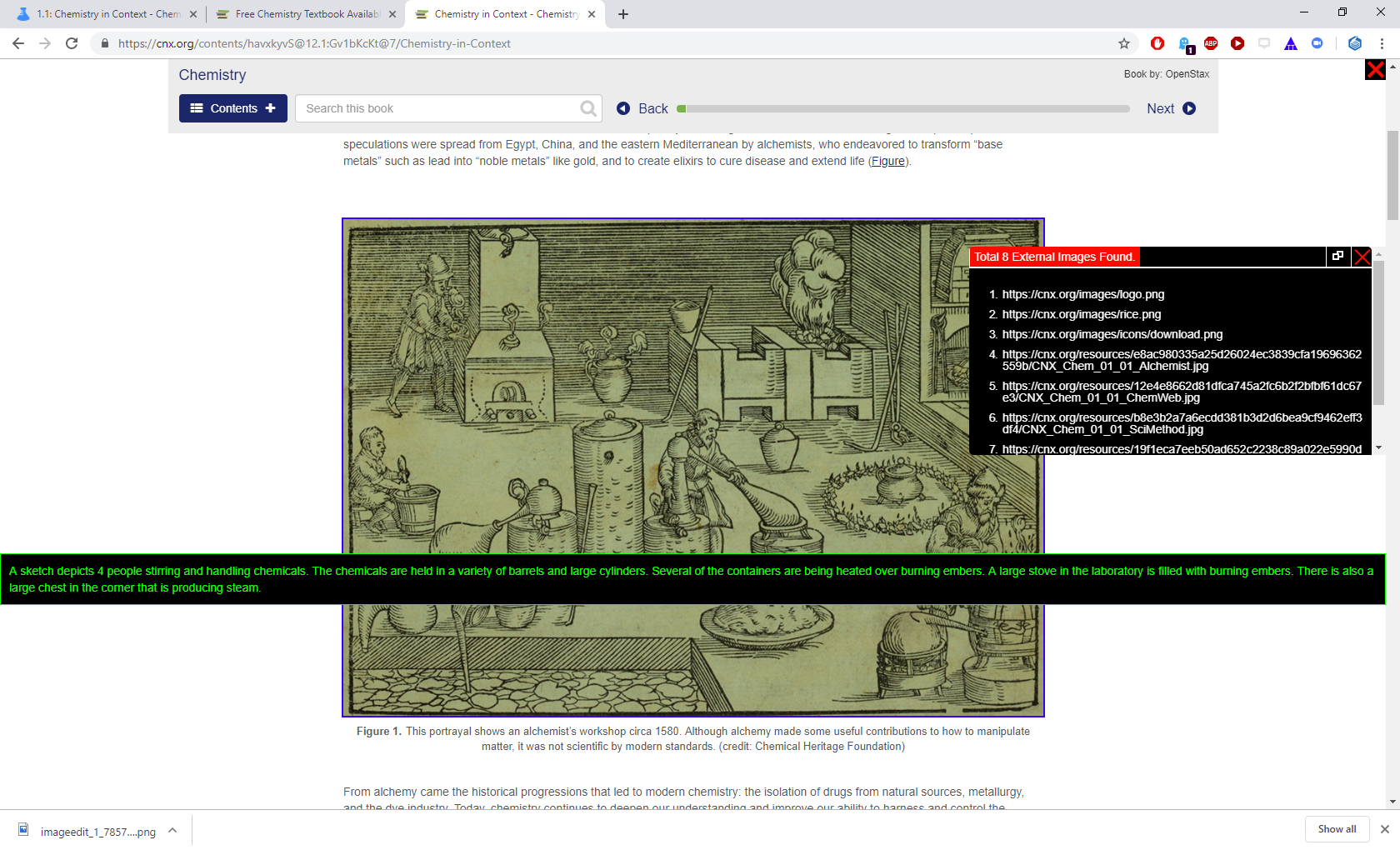
- Paste: Then go to the corresponding LibreTexts page and "edit" the page and double-click on the corresponding image.
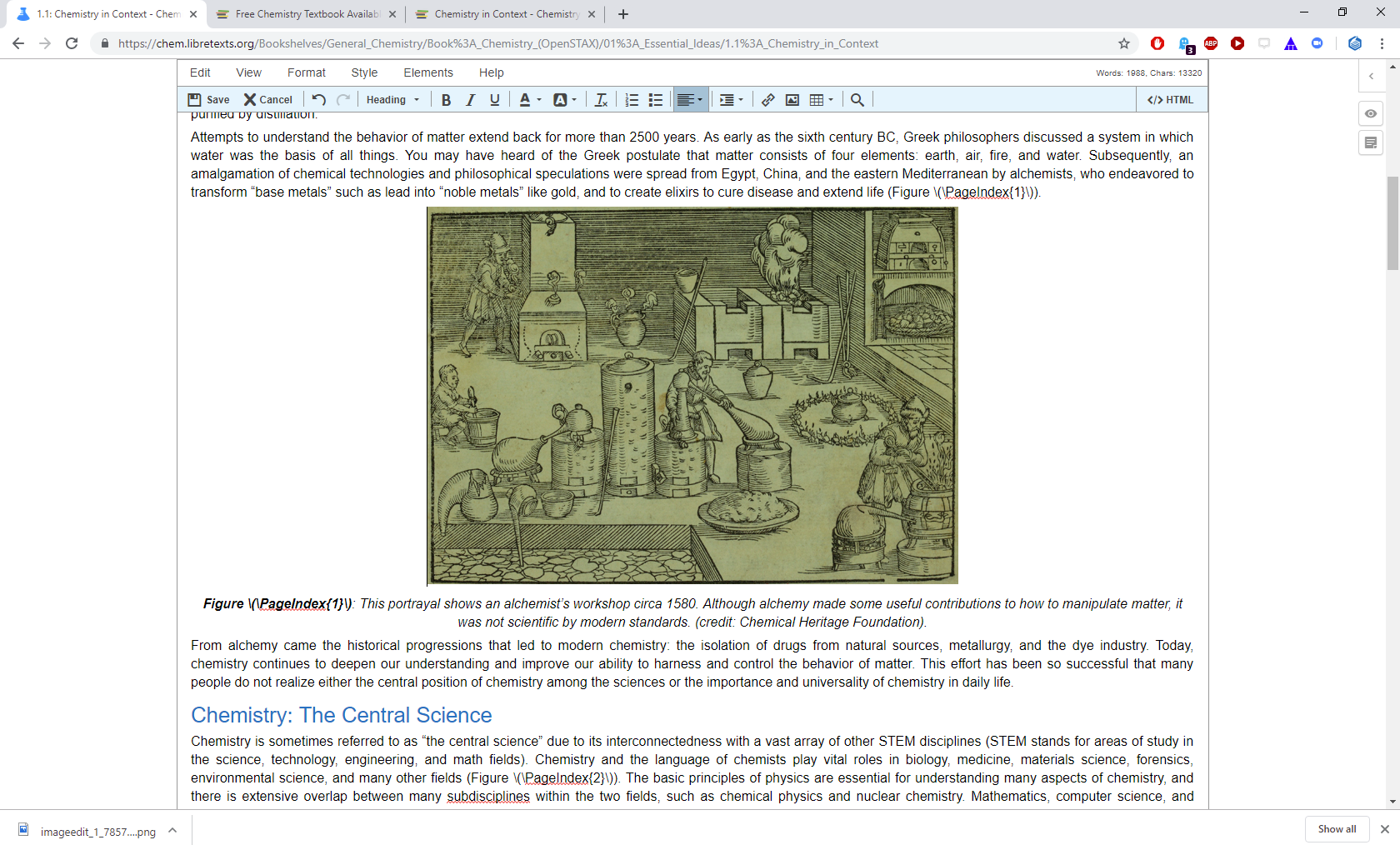
- A popup window will give you the option to add alt-text (by pasting) into the page.
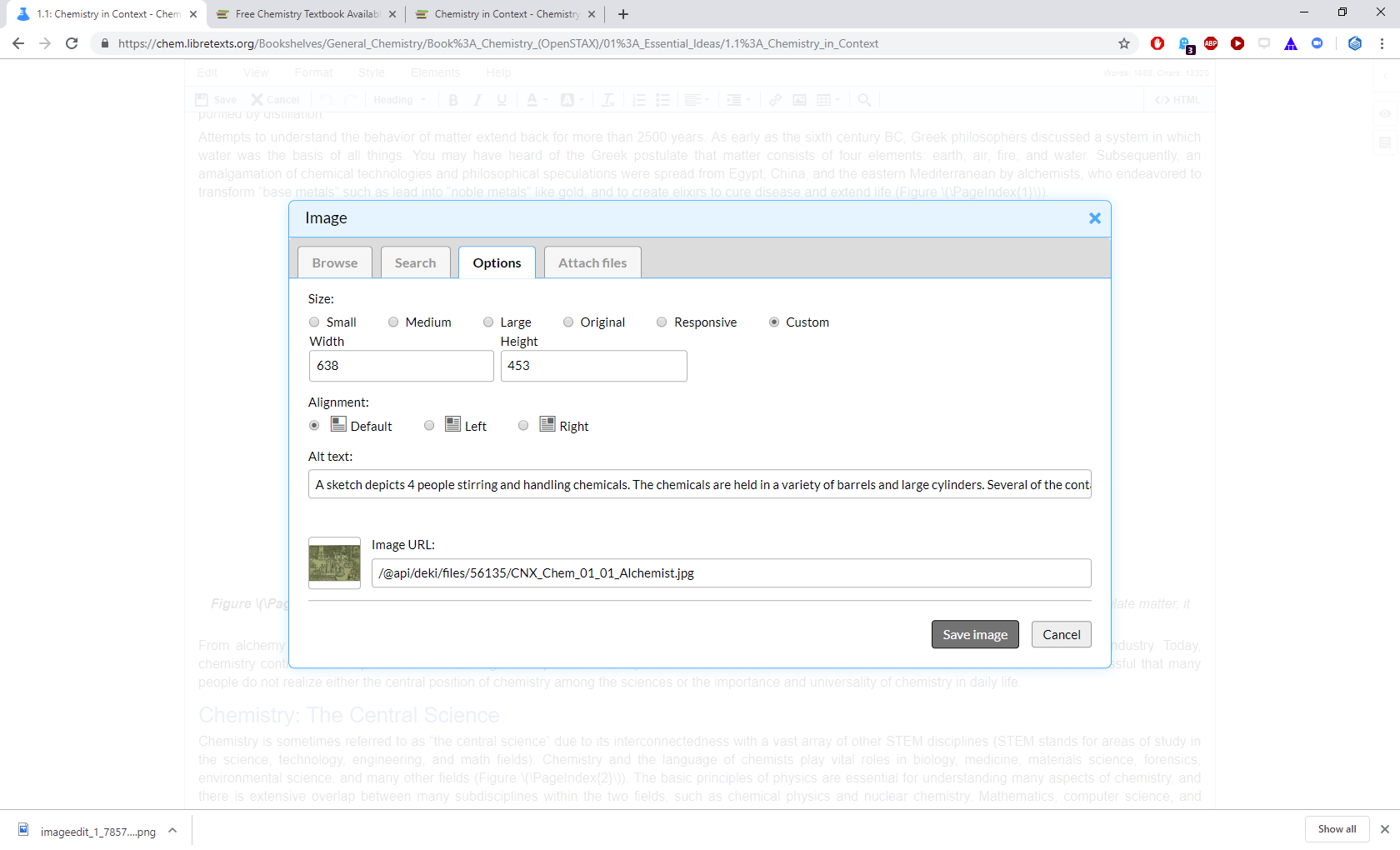
- Paste the text (like above) and then press "Save Image".
Cycle through all the images on the page and then save the entire page "save" on the editor tool bar (far left).
Approach 2: Writing and Adding alt-text text to images
This approach is similar, but require crafting a proper alt-text before pasting into the image properties box. The protocols for formulating "good" alt-texts will be forthcoming.
- Keep alt text limited to 144 characters.
- Create caption for content over 144 characters.
- Blank alt tag (decorative) should be used for images that carry no useful information.
- Do not create alt tags for images discussed on page, mark as “decorative”.
Some other issues to be aware of:
- Tables of information should not be posted as images and needs to be recreated on the page.
This page titled 9.4: Adding Alt-Texts was last modified on Tue, 23 Jul 2024 01:45:20 GMT and is shared under a CC BY-SA 4.0 license and was authored, remixed, and/or curated by LibreTexts.
The book could not be loaded just now.