Opening the book…
When viewing the assignments in ADAPT, there is a micro-control panel that allows instructors to dynamically control how students interact with the assignment (and its assessments).
Assignment Controls
To see the list of assignments available for grading:
- Log into your Grader account
- Select the course for grading
- You will see all assignments currently available for grading
You can use the drop-down menu at the top to filter assignments by assignment group.
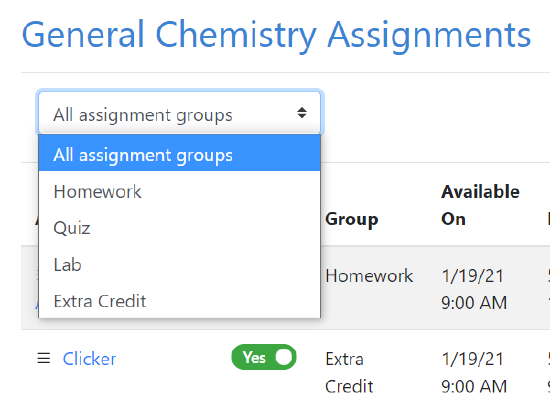
You can see that there are several toggle switches for each assignment that affect what information students can and cannot see at the time.

- Shown - Controls whether the students can see the assignment. Only Instructor can use this toggle, Graders do not have access to change it.
- Points per Question - Determines if students can see how many points each question in the assignment is worth
- Scores - Releases the scores to the students when switched to "Shown"
- Solutions - If you have a solution uploaded you can let students see it by switching this toggle to "Shown"
- Statistics - When switched to shown, students can see a chart showing score distribution
You can also see the Available On and Due dates and Status of each assignment (automatically changes to "Closed" after the due date)
This page titled 14.5: Assignment Control Panel was last modified on Tue, 23 Jul 2024 01:45:22 GMT and is shared under a CC BY-SA 4.0 license and was authored, remixed, and/or curated by LibreTexts.
The book could not be loaded just now.